AppScoutAppScout.gallery
Photo Complications icon
Photo & Video

Photo Complications

by Atlum Limited
Rating5.0(3)
Price$1.99
Updated1mo ago
Released5y ago
Latest rank
#50
Top Paid · Photo & Video
Rank change
↓ 9
vs last refresh
Rank history
Charting in:FR·Top Paid#50↓9

Screenshots

Photo Complications screenshot 1Photo Complications screenshot 2Photo Complications screenshot 3Photo Complications screenshot 4Photo Complications screenshot 5

Estimates

low confidence
Downloads / month
2.4K–6.3K
Review-velocity signal only
Revenue / month
$5.0K–$13K
After Apple's 30% cut

ASO analysis

Title19 / 30
Photo Complications

Good use of the title field.

Description576 / 4,000
3 paragraphs · 14% of limit used

Could go longer. The first 252 chars are above-the-fold; everything else still indexes.

Top keywords in your description
images×5fullscreen×3image×3add×2clipboard×2complications×2faces×2tap×2watch×2adjust×1bmp×1day×1
Keyword opportunities

Used by similar apps in your niche, but not in your title or description. Adding these (where genuinely relevant) can broaden your search reach.

features8 peerschoose7 peerscreate7 peersstickers7 peersbeautiful6 peerscollage6 peerscom6 peerseffects6 peersfacebook6 peersfilters6 peers
Shared niche keywords

Words you and your peers both use. Confirms positioning in this niche.

photo10 peersphotos9 peersadd6 peersimages6 peersimage5 peerszoom5 peersadjust4 peerstap3 peers

Keyword rankings

iTunes Search · top 200
Keyword tracking starts automatically for apps on the top charts — ranks appear after the next data refresh. Manual tracking for search-only and niche apps coming soon.

About

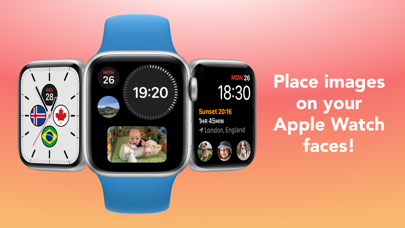
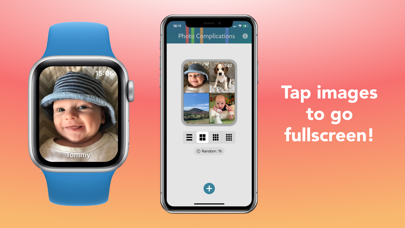
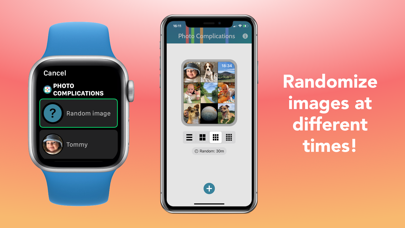
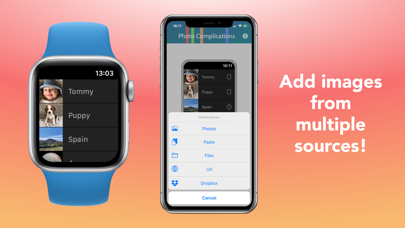
Add images to your watch faces, tap them to go fullscreen! • Add images from your Photos library, iCloud, other apps, the clipboard, or a url • Tap them to go fullscreen, with an optional title • Randomize images, from every 15 minutes to once a day • Adjust image positions and zoom in, for complications and when fullscreen • Swipe between images • Paste in images from the clipboard • JPEG, PNG, HEIF, JPG, BMP, and GIF (non-animated) image types supported For non-multicolor complications, on older watch faces, you can display the app icon to jump straight to an image.

01
Photo Editor+ icon
Photo Editor+
Axiem Systems
5.0
02
Photo Collage - Collageable icon
Photo Collage - Collageable
IRONTECH LIMITED
4.8
03
Photo Collage Montage Maker icon
Photo Collage Montage Maker
Alan Cushway
4.8
04
Photo Collage Maker & Creator icon
Photo Collage Maker & Creator
Alan Cushway
4.8
05
PhotoGlyph icon
PhotoGlyph
Stephen Denham
5.0
06
PhotoPanel: Photo Frame icon
PhotoPanel: Photo Frame
ROBIN SCHONWALD
5.0
07
EasyPic: Photo Collage Maker icon
EasyPic: Photo Collage Maker
Access Creativity Labs LLC
4.6
08
Collage Maker - Combine Photo icon
Collage Maker - Combine Photo
Livintis W.L.L.
4.8
09
Photo Manager Pro icon
Photo Manager Pro
Skyjos Co., Ltd.
4.7
10
Photo Collage Maker PicJointer icon
Photo Collage Maker PicJointer
Mosaic S.r.l.
4.5