Photo Widget — The Best One
Screenshots
ASO analysis
Good use of the title field.
Solid length. Make sure the first 252 chars hook the reader.
Used by similar apps in your niche, but not in your title or description. Adding these (where genuinely relevant) can broaden your search reach.
Words you and your peers both use. Confirms positioning in this niche.
Keyword rankings
iTunes Search · top 200About
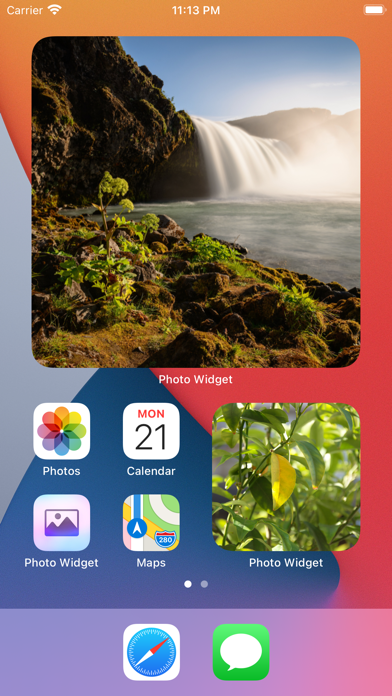
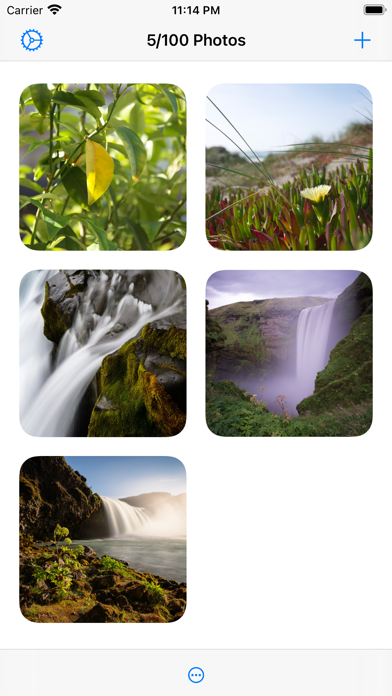
Put photos on your home screen using widgets. It also works great with StandBy. Create as many photo widgets as you like with one or more photos per widget. If you choose more than one photo, it will change photos on a time interval (which can be customized in the settings). Each widget can have separate photos. You can also show photos from an album in your photo library. ■ Features - Widgets with a single photo. - Widgets with multiple photos that change on an interval (slideshow). - Widgets showing photos from an album in your photo library (slideshow). - Three widget sizes. - Import photos from the photo library or the file system. - Tapping a widget can either show a larger preview of the photo, open a URL, or run a shortcut. - The “Album” widget has a setting to show a random photo only from the most recent `n` photos in the album, where `n` is the number you choose. ■ How it works First, decide whether you want to select the individual photos to show (1) or just choose an existing album from your photo library (2). 1. Add photos to the app which you can later choose from in a widget. Then add the “Photo Widget” widget with the “Photos” type and edit the widget to pick the photos to show. 2. Add the “Photo Widget” widget with the “Album” type and edit it to choose the album. ■ Limitation If you make two or more widgets of the same size where all of them are set to show all the photos or the same album, they will show photos in the same order. This is a limitation in the iOS widget system. You can work around this by giving the widgets unique names in the widget configuration. ■ Tip If you have a widget that cycles between photos and you want to force it to skip to the next photo, long-press the widget, select “Edit Widget”, and then close the edit view. The widget should now have a new photo. ■ FAQ 〉 How do I add a widget to the home screen? When on the home screen, long-press on the background (not on any icons), press the top-left “+” button, and select “Photo Widget”. 〉 How do I edit a widget? When on the home screen, long-press on the widget, and select “Edit Widget”. 〉 Why can I only add 100 photos to the app? This is because of a technical limitation in the iOS widget system. Hopefully, it can be increased in the future. It should be enough for most users though. If you use the “Album” widget, there’s no limit to the number of photos. 〉 How can I hide the name of the app shown below the widget? This is not possible. App developers have no way to hide it. 〉 How is this different from the built-in “Photos” widget? The built-in widget only shows photos from “Memories” and “Featured Photos” in your photo library. There is no way to customize it or pick the photos to be shown. 〉 Can I show an animated GIF in a widget? This is not possible.