Photomator
Screenshots



ASO analysis
Short title. You're leaving keyword space on the table.
Solid length. Make sure the first 252 chars hook the reader.
Used by similar apps in your niche, but not in your title or description. Adding these (where genuinely relevant) can broaden your search reach.
Words you and your peers both use. Confirms positioning in this niche.
Keyword rankings
iTunes Search · top 200About
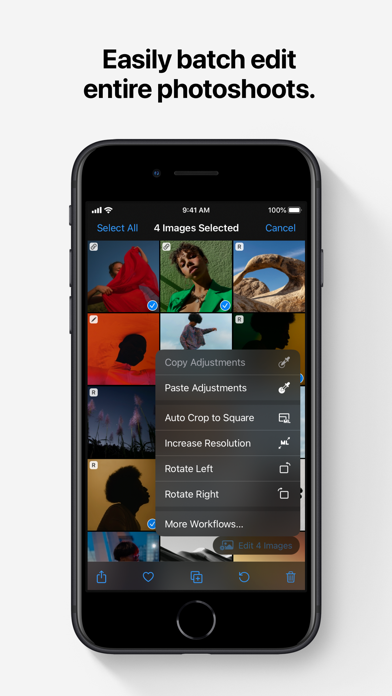
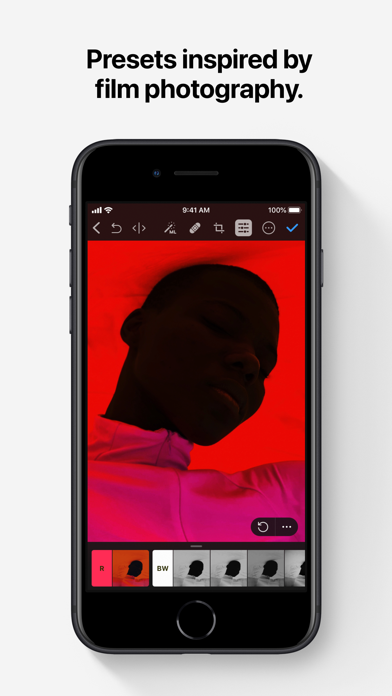
Photomator is the most powerful photo editing app ever designed for a mobile device. It includes an extensive collection of cutting-edge color adjustments, automatic selections powered by AI, support for over 750 RAW image formats, a magical Repair tool for removing unwanted objects, and many more powerful features, letting you enjoy pro photo editing anyplace, anytime. Everything you need to make your photos look incredible • Edit photos using a wide collection of powerful, nondestructive color adjustments • Quickly make precise subject, sky, and background selections in photos using AI, add gradient masks, and easily make selections using a brush • Effortlessly remove unwanted objects using an incredible object removal tool • Crop, straighten, rotate, and adjust the perspective of photos with an easy-to-use Crop tool • Instantly increase the resolution of photos using AI • Remove camera noise and image compression artifacts with the powerful Denoise feature • Magically remove color banding and increase color depth in photos with the AI-powered Smart Deband feature • Make your photos stand out with photographer-designed presets for landscape, black and white, and other photography styles • Easily copy and paste edits between photos or batch edit even hundreds of photographs at a time • Open and edit over 750 RAW image formats, including Apple ProRAW and compressed Fujifilm RAWs • Follow all the changes you make in the beautiful live histogram Tools powered by AI • Select the subject, sky, or background in a photo with just a tap • Improve the quality of photos by reducing camera noise with the AI-powered Denoise feature, intelligently upscale photos with Super Resolution, or magically remove color banding and increase color depth using Smart Deband • Automatically enhance shots using a machine learning algorithm trained on 20 million pro photos, or fine-tune individual adjustments, like White Balance, Selective Color, or Color Balance with a single tap • Intelligently crop photos using the AI-powered auto-cropping • Copy the look of any photo to another using the incredible Match Colors feature State-of-the-art color adjustments • Enjoy powerful tools for effortlessly adjusting the temperature, tint, exposure, contrast, brightness, hue, saturation, and vibrance in your photos • Recover incredible amounts of detail in the highlights and shadows of photos • Magically enhance fine details and structure in photos using powerful Clarity and Texture adjustments, or adjust textures in the highlights, midtones, and shadows separately • Selectively edit individual color ranges with Selective Color, or improve the balance of colors in the shadows, midtones, and highlights with Color Balance • Adjust lighting and colors with full precision using Levels and Curves adjustments • Mix the balance of the red, green, and blue color channels to create intense color effects in your images • Replace any color with any other using the Replace Color adjustment • Create beautiful black and whites even from your color photos • Use a range of additional adjustments, like Sharpen, Fade, Grain, Color Monochrome, Sepia, and Invert to make your photos stand out • Instantly change the look of photos with LUTs or export custom LUTs to use in other apps Compatibility • Automatically sync every change back to your Photos or Files browser • With the support for iCloud Drive, enjoy seamless edit syncing across Mac, iPhone, and iPad • Photomator is built from the ground up for iPhone and iPad with a native design that blends seamlessly with the sleek and modern look of iOS and iPadOS 18 • Photomator uses powerful Apple technologies like Metal, Core ML, and Core Image to deliver staggeringly fast performance, even when editing large RAW photos or batch editing multiple images at a time • Privacy policy: https://www.apple.com/legal/privacy/en-ww/