Receipts Pro
Screenshots
Estimates
low confidenceASO analysis
Good use of the title field.
Solid length. Make sure the first 252 chars hook the reader.
Used by similar apps in your niche, but not in your title or description. Adding these (where genuinely relevant) can broaden your search reach.
Words you and your peers both use. Confirms positioning in this niche.
Keyword rankings
iTunes Search · top 200About
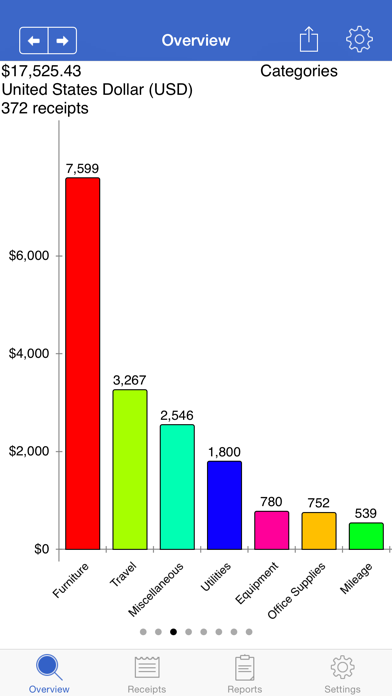
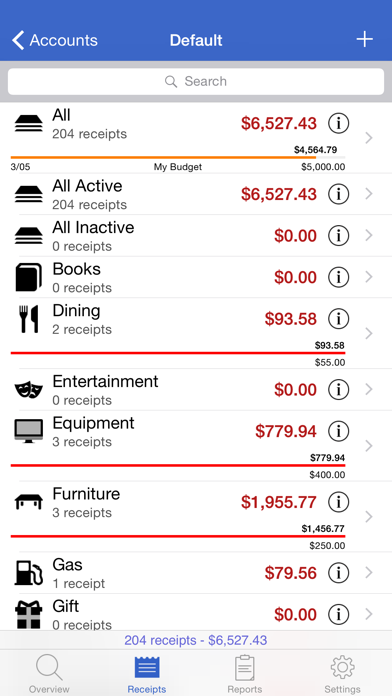
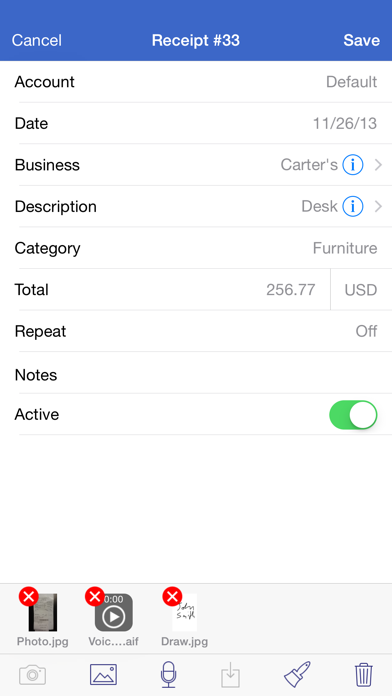
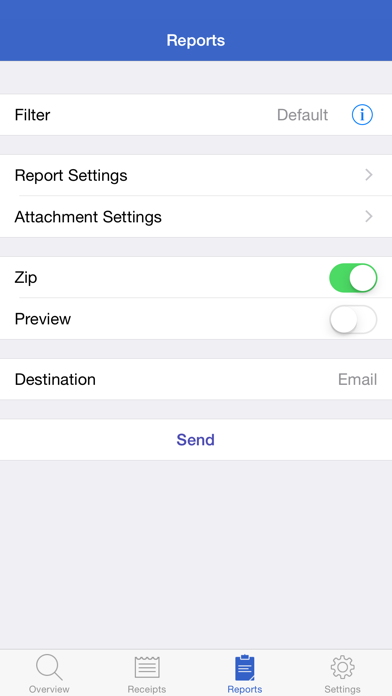
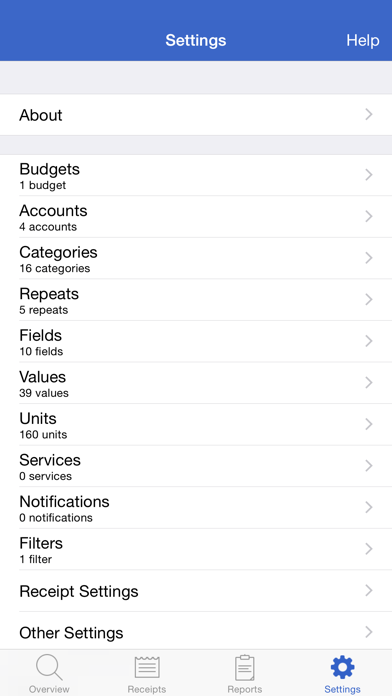
*** Featured by Apple in Taxes & Receipts collection *** Track your personal and business income/expenses (including mileage) with Receipts. Receipts is the most customizable and powerful expense tracking app available. Create budgets, accounts, categories, filters, and nine different types of custom receipt fields. Receipts helps you save time when submitting expense reports and during tax season. Add new receipts quickly using the autofill feature. Capture photos, add drawings, record voice memos, and attach files from other apps. Receipt totals may be entered in any currency and are instantly converted to your home currency. Create sophisticated filters based on multiple receipt fields to quickly find your receipts. Browse through graphs to keep track of income and spending. See how much money is spent over time and by account, category, and currency. Generate Excel, PDF, HTML, and CSV reports with attachments. Optionally embed photos and drawings in PDF reports. Specify report names and add custom headers. Select which receipt fields to include and sort/group receipts by any field. Share reports using a variety of options including Box, CloudApp, Dropbox, Evernote, and Google Drive. Keep track of business, family, or group income/expenses by syncing to the cloud. Enable automatic sync support to keep multiple devices up to date. Import and export receipts (CSV) with attachments to multiple destinations. Overview: - pie and bar graphs for accounts, categories, units, spending over time, custom currency fields, and income/expenses - email, print, and open graphs in other apps Receipts: - add income, expense, or mileage receipts - add receipts in any currency and set account/home currency totals - use autofill to populate new receipts based on previous receipts - add repeating receipts with interval and end date - attach photos, drawings, voice memos, and other files to receipts - rotate, scale, crop, and adjust brightness, contrast, and saturation for receipt photos Reports: - generate Excel, PDF, CSV, and HTML reports with attachments - add custom report headers - select report file names and report names - sort and group report receipts by any field - specify which fields to include and their order - option to embed photos and drawings in PDF reports (1, 2, or 4 per page) - overlay receipt fields on photos and drawings - include links to file attachments (Excel and HTML) - zip report and attachment files - preview report before sending - send reports via email, iTunes File Sharing, WiFi, another app, print, iCloud, Box, CloudApp, Dropbox, Evernote, and Google Drive Settings: - add accounts to manage groups of receipts - use budgets to keep track of spending - create categories and subcategories - select account and category icons (over 450 included) and a tint colour - custom receipt fields including currency, date, list, number, percent, percent total, switch, tags, and text types - create receipt filters using any combination of fields - notifications remind you to add receipts, save backups, and create reports - passcode for keeping financial data secure Data: - keep multiple devices in sync (requires Box, Dropbox, or Google Drive account) - import and export receipts (CSV) with attachments - backup/restore data and settings