AppScoutAppScout.gallery
shiftscreen 4X icon
Productivity

shiftscreen 4X

by Yannik Schrade
Rating2.2(157)
Price$7.99
Updated4y ago
Released4y ago
Latest rank
#94
in Productivity
Rank change
First data point — change appears after the next refresh
Rank history

Screenshots

shiftscreen 4X screenshot 1shiftscreen 4X screenshot 2shiftscreen 4X screenshot 3shiftscreen 4X screenshot 4shiftscreen 4X screenshot 5

ASO analysis

Title14 / 30
shiftscreen 4X

Good use of the title field.

Description1,168 / 4,000
5 paragraphs · 29% of limit used

Could go longer. The first 252 chars are above-the-fold; everything else still indexes.

Top keywords in your description
monitor×13ipad×4iphone×3support×3airplay×2cable×2change×2connect×2external×2full×2fullscreen×2integrated×2
Keyword opportunities

Used by similar apps in your niche, but not in your title or description. Adding these (where genuinely relevant) can broaden your search reach.

automatically7 peerscom7 peersfeatures7 peersdevices6 peerseven6 peersios6 peersmultiple6 peersshare6 peersallows5 peerscontrol5 peers
Shared niche keywords

Words you and your peers both use. Confirms positioning in this niche.

iphone10 peersipad9 peerssupport7 peersview7 peersscreen6 peerskeyboard5 peersrotate4 peerscolors3 peersdisplay3 peersmouse3 peers

Keyword rankings

iTunes Search · top 200
Keyword tracking starts automatically for apps on the top charts — ranks appear after the next data refresh. Manual tracking for search-only and niche apps coming soon.

About

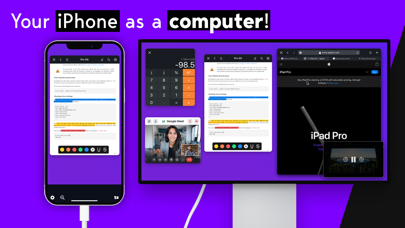
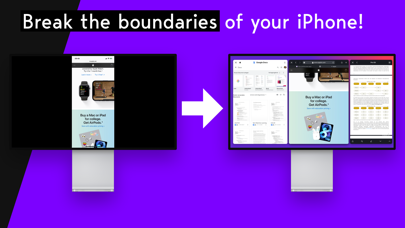
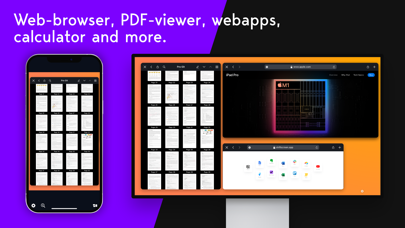
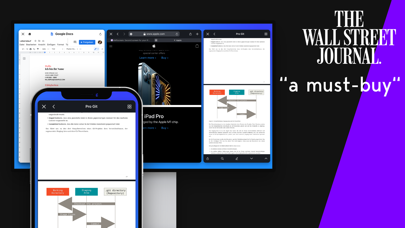
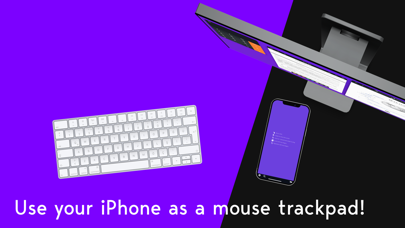
Use a monitor with your iPad or iPhone as a second screen! Work with your iPad and place things on your monitor. Connect your external monitor via cable or AirPlay and start using your monitor in fullscreen. **Please make sure that you can connect your device to a monitor using a cable or AirPlay.** No more black bars around your monitor, shiftscreen brings you fullscreen external display support. Work with the integrated web-browser, the PDF-viewer, the integrated webapps or the calculator app. Boost your productivity by working with your monitor as a second screen while doing other things on your iPad in split-view. Or use your iPhone as a full computer and as a trackpad for the monitor. What’s new in 4X? - full mouse and trackpad support - 60 fps support on your monitor - windows and tabs in the web-browser - over 50 customizable keyboard shortcuts - 2x the resolution on the monitor - rotate your monitor and configure it however you want - change the colors and feel of the app - zoom-in-mode: view a specific part of your monitor on your iPad or iPhone shiftscreen will improve your productivity and completely change the way you use you monitor.

01
Yam Display icon
Yam Display
Yamstu Inc.
4.0
02
Yam Air icon
Yam Air
Yamstu Inc.
3.5
03
Shift Worker icon
Shift Worker
Production Shed Pty Ltd
3.5
04
Screen Mirroring+ for Roku icon
Screen Mirroring+ for Roku
Kraus und Karnath GbR 2Kit Consulting
3.2
05
ZoomNotes icon
ZoomNotes
Deliverance Software Ltd
4.5
06
PrompterPal icon
PrompterPal
Sunshine Valley Systems
2.0
07
Screen Recorder -  Record 321 icon
Screen Recorder - Record 321
妙英 张
4.5
08
iCalendar icon
iCalendar
Symfonies, Inc.
4.7
09
Remoter VNC - Remote Desktop icon
Remoter VNC - Remote Desktop
Remoter Labs LLC
4.2
10
xSearch for Safari icon
xSearch for Safari
磊 汪
4.7