AppScoutAppScout.gallery
Solo: Time Tracker & Invoicing icon
Business

Solo: Time Tracker & Invoicing

by Dmytrii Sinko
Rating0.0(0)
PriceFree
Updated6y ago
Released9y ago
Latest rank
Not tracked yet
Rank change
Not tracked yet
Rank history
Movement appears after the next data refresh.

Screenshots

Solo: Time Tracker & Invoicing screenshot 1Solo: Time Tracker & Invoicing screenshot 2Solo: Time Tracker & Invoicing screenshot 3Solo: Time Tracker & Invoicing screenshot 4Solo: Time Tracker & Invoicing screenshot 5

ASO analysis

Title30 / 30
Solo: Time Tracker & Invoicing

Tight against the limit — verify it doesn't truncate on small screens.

Description1,099 / 4,000
8 paragraphs · 27% of limit used

Could go longer. The first 252 chars are above-the-fold; everything else still indexes.

Top keywords in your description
time×7invoice×4records×3solo×3timers×3add×2client×2edit×2features×2forget×2much×2multiple×2
Keyword opportunities

Used by similar apps in your niche, but not in your title or description. Adding these (where genuinely relevant) can broaden your search reach.

work9 peershours8 peersdaily7 peersdata7 peersaccount6 peersclock6 peersexport6 peersmanage6 peersovertime6 peersprojects6 peers
Shared niche keywords

Words you and your peers both use. Confirms positioning in this niche.

time10 peerstracker10 peersfeatures9 peerstrack8 peerstracking8 peerseasy7 peersadd5 peersday5 peersnotifications5 peersstart4 peers

Keyword rankings

iTunes Search · top 200
Keyword tracking starts automatically for apps on the top charts — ranks appear after the next data refresh. Manual tracking for search-only and niche apps coming soon.

About

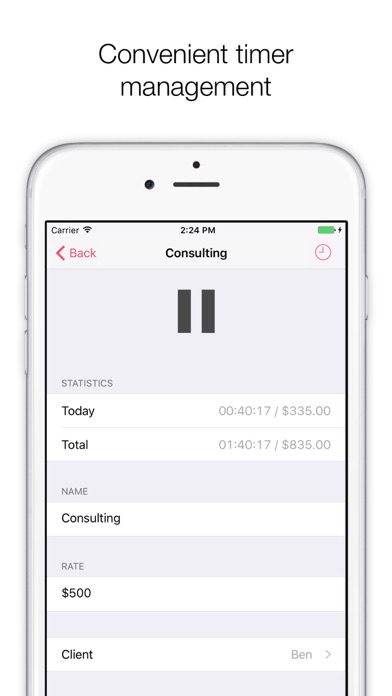
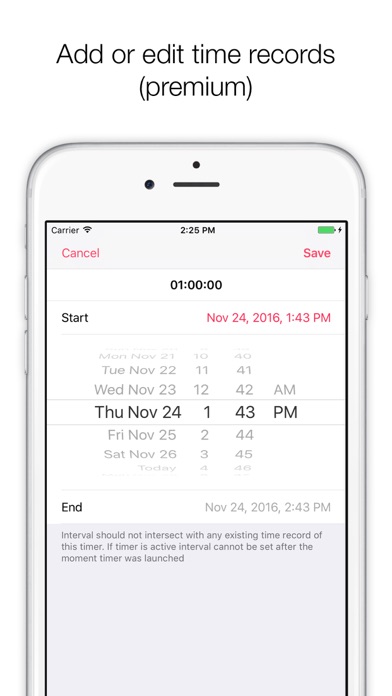
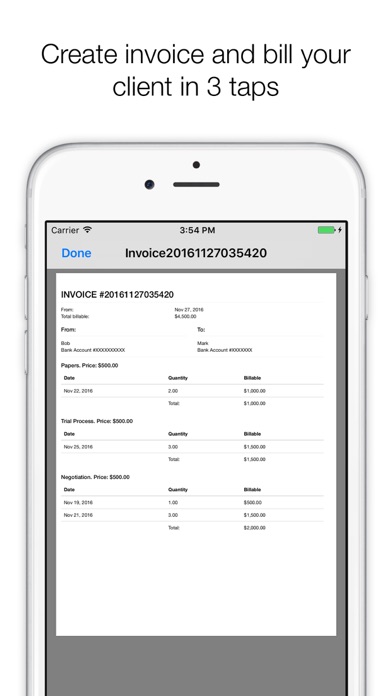
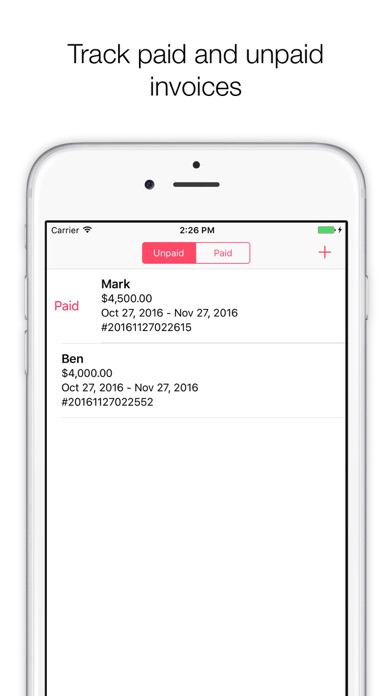
Great features we believe you will like: 1. Really simple history. You can see how much time you spend each day and how much money you earn. No complex charts. No tiny unreadable numbers. Everything is easy to read and analyze. 2. Multiple timers running concurrently. You want to consult two clients and charge them separately? Maybe you are working with one client stuck in queue and have time to do some calls to help other client? We have that covered. With Solo time tracker you can have multiple timers running at the same time. 3. Fast and simple controls. You can start timer or change invoice status with one swipe. 4. Add or edit time records. You can add time records or edit existing ones if you need. Actually you can generate whole invoice based on records you added manually (this required premium). 5. Track invoice status. Be aware if invoice is paid or unpaid. 6. Handy notifications. Never forget to start tracking time. Solo will also remind about active timers so you do not forget to stop them when you need. There are even more features. Download Solo and try yourself!

01
IFS Time Tracker icon
IFS Time Tracker
IFS Corporation
0.0
02
Hours Tracker: Time Tracking icon
Hours Tracker: Time Tracking
Cribasoft, LLC
4.8
03
DCR Time Tracker icon
DCR Time Tracker
Christine Mitchell
5.0
04
TimeTrack - Time tracker icon
TimeTrack - Time tracker
TimeTrack GmbH
3.5
05
Illuminate Time Tracker icon
Illuminate Time Tracker
Bryte Innovative Technologies, LLC
5.0
06
Time Tracker & Hours Tracker icon
Time Tracker & Hours Tracker
Monocubed, Inc
4.2
07
WorkHours: Time Tracker icon
WorkHours: Time Tracker
DEVAPPS d.o.o.
4.7
08
iboChron - Work Time Tracker icon
iboChron - Work Time Tracker
Tobias Hauss
4.9
09
Work Time Tracker: Track hours icon
Work Time Tracker: Track hours
oWorld Software
5.0
10
Time Squared: Hours Tracker icon
Time Squared: Hours Tracker
TSQ Publishing Corp.
4.9