

Speed Test & Wifi Analyzer
Screenshots


ASO analysis
Good use of the title field.
Solid length. Make sure the first 252 chars hook the reader.
Keyword rankings
iTunes Search · top 200About
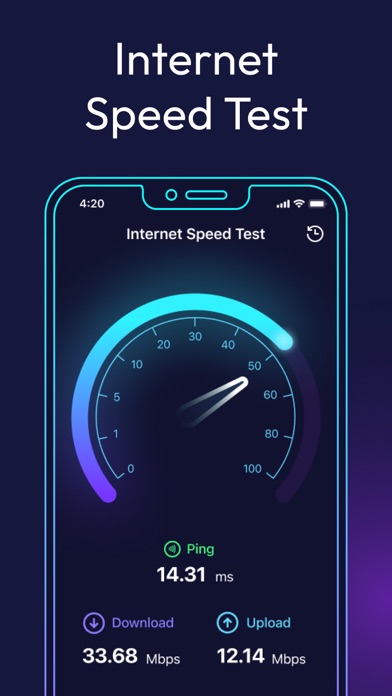
Stay in full control of your connection with a multifunctional network analyzer, built to help you understand exactly how your Internet and WiFi behave. Whether you're fixing an issue, improving performance, or tracking signal strength, you get clear tools to analyze your network and stay aware of what’s happening in real time. App allows you to: • Diagnose issues affecting your Internet connection or WiFi setup; • Detect and monitor unauthorized devices on your network; • Determine the geolocation of any IP address; • Scan and analyze open ports on your device; • Trace the full route of your network requests; • Measure the actual speed of your Internet or WiFi signal; • View detailed technical data about nearby WiFi networks and your cellular signal strength. NETWORK INSIGHTS & DIAGNOSTICS: AR MODE Visualize how your network truly works with interactive AR markers. See real-time delay data between your router and smartphone and find the optimal spot in the room for the strongest, most stable connection. AR mode turns complex diagnostics into intuitive visuals that help you optimize WiFi signal strength. LAN SCANNER Explore every device connected to your network with a fast and precise scan. The tool instantly identifies all active devices, displaying their IP addresses, provider information, and other helpful details — perfect for detecting unknown connections or managing your home network. OPEN PORT SCANNING Understand the inner workings of your device by discovering which ports are currently open. This scan shows what each port is used for and helps you assess security, troubleshoot services, and keep your system running smoothly. IP GEOPOSITIONING See where any IP address is located on the world map. Use this IP scanner feature to analyze network routes, understand connection origins, or simply satisfy your curiosity about who — or what — is interacting with your network. TRACEROUTE Follow your data across the globe. Traceroute visualizes every step your request takes on its way to the final server, highlighting where delays or disruptions might occur. It’s an essential net analyzer tool for pinpointing connection bottlenecks. SPEED CHECK Get a clear picture of your connection’s real capabilities. The integrated speed test WiFi tester measures download, upload, and latency values to show how fast and stable your Internet truly is. When your network works smoothly, everything else works better — from streaming and gaming to online meetings and everyday browsing. Discover how your connection behaves, stay ahead of problems, and enjoy a smarter, clearer understanding of your digital environment. SUBSCRIPTION Subscribe and get right now: 1. Unlimited daily speed tests 2. Detailed network analytics and insights 3. Ad-free experience 4. Regular feature updates Make your life easier with premium access: - Paid subscription is divided into 3 types: weekly, monthly and annual. - The cost of a weekly paid subscription is $7.99. Monthly - $15.99. Annual - $49.99. - The amount will be charged to your Apple ID account at confirmation of purchase. - You can cancel a subscription or trial period at any time, but no later than 24 hours before the end of the current period. OTHERWISE it will be automatically renewed. - Your account will be charged for renewal within 24-hours prior to the end of the current period. - After payment, you can manage your subscription and turn off auto-renewal in your account settings. - Any unused portion of the free period will be forfeited upon purchase of the subscription. - Please read our privacy policy and EULA https://appenvisions.com/privacy.html https://appenvisions.com/eula.html


