

Time Clock Helper
Screenshots


ASO analysis
Good use of the title field.
Solid length. Make sure the first 252 chars hook the reader.
Used by similar apps in your niche, but not in your title or description. Adding these (where genuinely relevant) can broaden your search reach.
Words you and your peers both use. Confirms positioning in this niche.
Keyword rankings
iTunes Search · top 200About
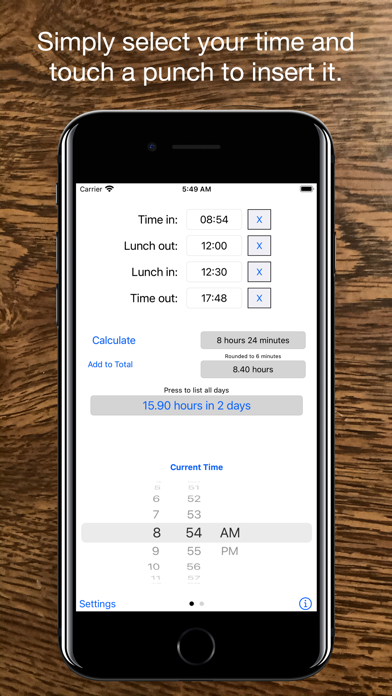
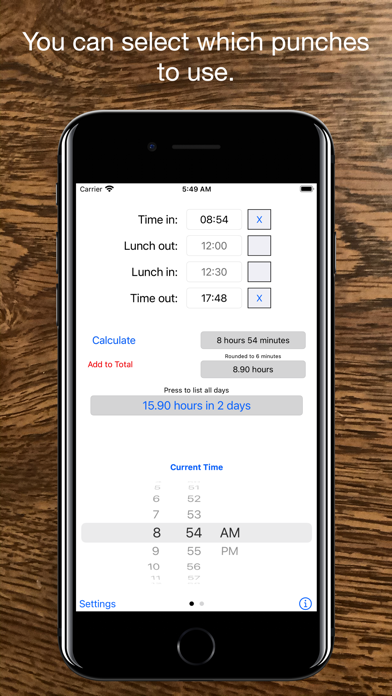
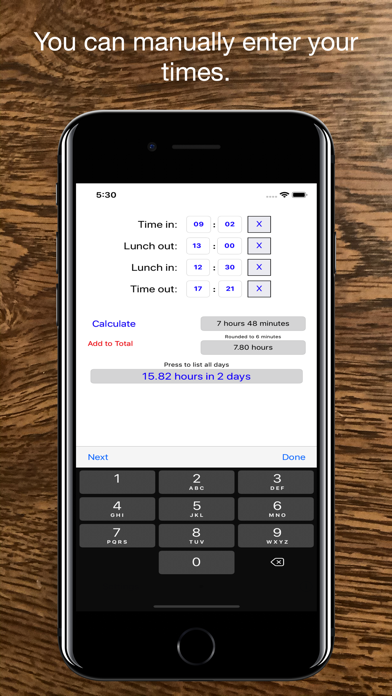
Use this app to quickly calculate how many hours you worked in a day using a standard time card. There are two ways to input values. The first view allows you to pick a time using a scroll wheel and then press the location you want that time to go into. If you swipe left or right you can change to a manual entry mode. In this mode, you simply press the number you want to change and then use the keyboard to enter a new time. You can press next to go to the next field, or done to finish. If you don't need certain punches, such as a lunch, use the checkboxes next to the times you don't want. It now allows you to record the total hours for more than one day. You can also view all the recorded days - up to 400 at the current time. Recording a time couldn't get easier. Simply press the add to total button and it's done. To view the days press on the label showing the current total hours and a new view will open. The add to total button will turn red whenever a change has been made to one of your punches. In the days box you can scroll up and down to view all the days recorded. You can also delete days by pressing on them and answering the prompt. If you want to clear them all press the clear all button on the bottom. If you would like to e-mail the times to someone press the e-mail button. Press done when you are finished to return to the entry screen. This app also allows the option to select different rounding options. Many work places round to the nearest 6 minutes, or 15 minute increment and this app now allows that in it's calculations. To change options, simply press the setting button and change the settings, or go into the device settings and change it for the app. You may also show the date the time was added to the total by going into setting and changing the show date option. You can also change it back to show just the day numbers. You can also show the total time recorded in a decimal format or in an hours and minutes format by going into setting and setting the show as decimal option. The app is pretty straight forward and simple. If you have any problems, or additions you would like to see send me an e-mail and I will attempt to fix them in the next version. Please take the time to review the app if you find it useful.


