

Visual Code
Screenshots

ASO analysis
Short title. You're leaving keyword space on the table.
Solid length. Make sure the first 252 chars hook the reader.
Keyword rankings
iTunes Search · top 200About
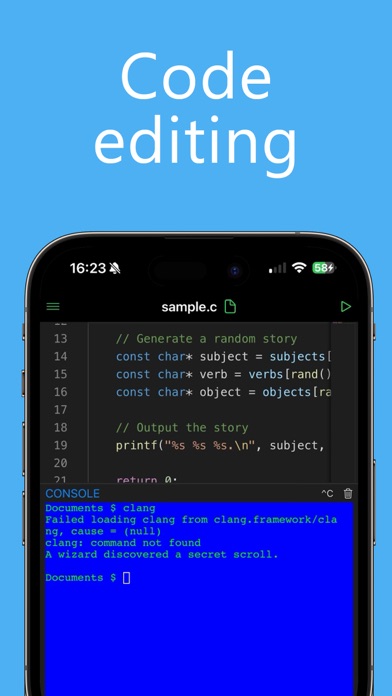
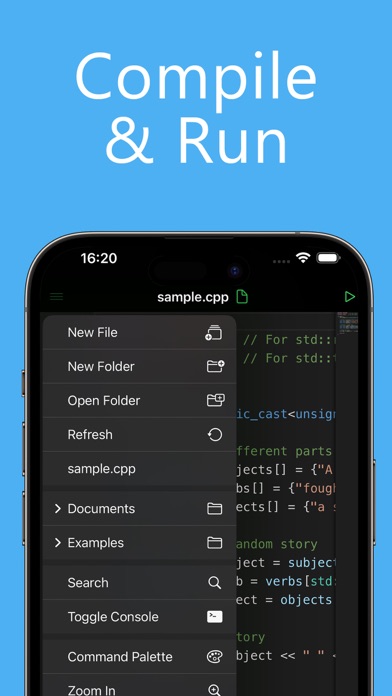
Visual Code transforms your iPhone and iPad into a complete development environment. Built with performance, portability, and flexibility in mind, it allows you to write, debug, and run code wherever you are. Whether you’re a student, hobbyist, or professional developer, Visual Code gives you the power of a desktop IDE in a mobile-first design. Powerful and Intuitive Visual Code features a sleek, modern interface optimized for productivity. With syntax highlighting, intelligent formatting, and customizable themes, you can focus on what matters most: writing clean, efficient code. Multi-Language Support Work in the language of your choice without switching apps. Visual Code supports a wide range of popular programming languages, including: Python, JavaScript, C, C++, PHP, Java, Swift, HTML, CSS, Golang, Rust, Ruby, Objective-C, Perl, and Lua. Built-In Terminal Run commands directly inside the app with the integrated terminal. Manage projects, test scripts, and control workflows seamlessly without ever leaving Visual Code. Optimized for iOS 26 and iPadOS - Liquid Gas Design: Smooth, futuristic UI tailored to the latest iOS standards. - Deep iPad Integration: Take advantage of multi-window support, multitasking, and full external keyboard compatibility. - Keyboard Shortcuts: Streamline your workflow with shortcut support for iPad keyboards, making coding even faster. Why Choose Visual Code? - Work on the go with an all-in-one coding environment. - Enjoy a familiar desktop-like experience with mobile convenience. - Build, test, and refine projects without compromise. Disclaimer Visual Code is not affiliated with, endorsed by, or in any way officially connected to Microsoft Corporation. It is also not related to, nor a part of, Microsoft Visual Studio. All trademarks are the property of their respective owners. ------- Visual Code Pro is an auto renewable subscription: - Edit Files - AI integrations - Themes ------- Price may vary by location and active promotion. Subscriptions will be charged to your credit card through your iTunes account. Your subscription will automatically renew unless canceled at least 24 hours before the end of the current period. Manage your subscriptions in Account Settings after purchase. Any unused portion of a free trial period, will be forfeited when the user purchases a subscription. ------- Privacy Policy: https://www.iubenda.com/privacy-policy/95401147 Terms of Service: https://www.apple.com/legal/internet-services/itunes/dev/stdeula


