

Write 2 Lite - Note Taking & Writing
Screenshots


ASO analysis
Over the 30-character limit by 6 — Apple will truncate on display.
Solid length. Make sure the first 252 chars hook the reader.
Keyword rankings
iTunes Search · top 200About
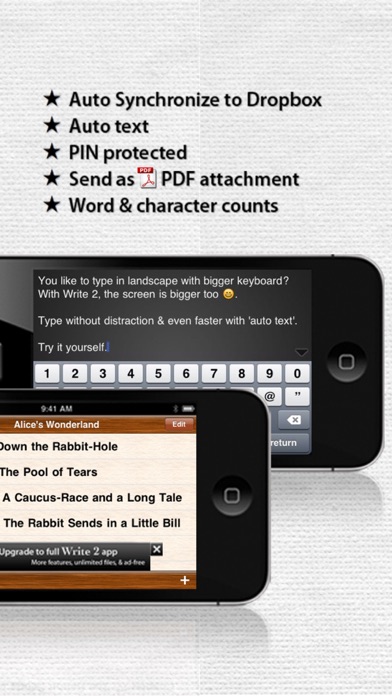
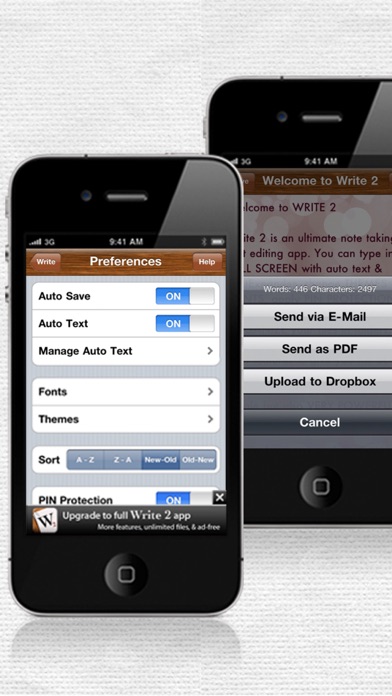
Write 2 Lite is an ultimate note taking, writing & markdown editing app. It utilizes all of its great features to give you the best experience while typing on your iPhone & iPad. ********** Featured in "What's Hot" in USA, Netherlands, and other 8 countries! Featured in "New & Noteworthy" in, Canada, France, etc! Top 100 free productivity in over 47 countries around the world! ********** Watch our video on YouTube http://bit.ly/Write2Video "This is the absolute best note/writing app ever. You're awesome :)" - a satisfied reviewer. Best writing app. ***** "Best writing app so far. I've used it for my last three short stories and i just love it." - Bertolt Breht (USA) Awesome! Simple and easy yet powerful! ***** "Easy to use, easy to understand, secure, and sync smoothly!! It just works!! Love it, I use it all the time." - Posterous (Indonesia) "The best note editor I have used" ***** - Anthony Killuchi (USA) Excellent!!!! ***** "Very nice app. Dropbox sync works great!!!" - Catback (USA) Things you can do with Write 2 Lite: • Type & read in full screen without any distraction • Synchronize your text (.txt) & markdown files between your iPhone, iPod Touch, iPad, Mac, PC, or any devices via Dropbox (automatically/manually) • Download, edit, and back up plain-text and markdown files from your Dropbox • Send your text to anyone via e-mail & PDF attachment • Apply PIN protection to keep your privacy • Make the best of 'Emergency Mode' to save your life • Lock writing orientation to landscape/portrait • Type much faster and precisely with auto text & TextExpander • Word & character counts • Easy and straight forward user interface • Indulge yourself with gorgeous themes that will perfectly suit your mood • Customize font types and sizes • Put your files into different folders • Search files & folders in a split second • Sort your writings in 4 ways • Automatically save your files • Be amazed by the beautiful user interface in Retina Display • Use Emoji (even for file and folder names!) • Work in multitasking • Optimize the auto-capitalization, auto-correction, check spelling, undo, redo, cut, copy, paste and replace features from the iOS • Use any international keyboards By the way, in case you are being threatened or forced to reveal your PIN, just enter the emergency PIN. This feature can save your life. Trust us. You can find your emergency PIN in the help menu inside the app. So whether you want to jot down your cool ideas, list your to-do, capture quick notes, outline your presentations, keep food recipes, create shopping lists, write another day in your diary or journal, keep some song lyrics, do your work on-the-go and continue it again later on the other devices, or whether you are a writer who needs to write everywhere, or anything you do that deals with text files, syncing, & sharing, THIS IS YOUR BEST APP! Really good! ***** "Really nice for writing whatever whenever. And it's free! Good app!!! (:" - Happypersons (Canada) *This Lite version allows to add up to 5 files, is ad supported, and has some feature limitations. Please download the full version on the App Store to enjoy all of its features and services without limitation, including its future cool updates. You can get it here: https://appsto.re/id/K1bAz.i


