

Yaware.TimeTracker Viewer
Screenshots

ASO analysis
Good use of the title field.
Could go longer. The first 252 chars are above-the-fold; everything else still indexes.
Used by similar apps in your niche, but not in your title or description. Adding these (where genuinely relevant) can broaden your search reach.
Words you and your peers both use. Confirms positioning in this niche.
Keyword rankings
iTunes Search · top 200About
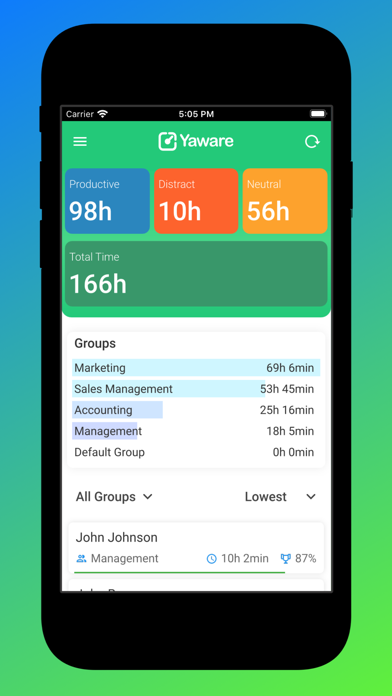
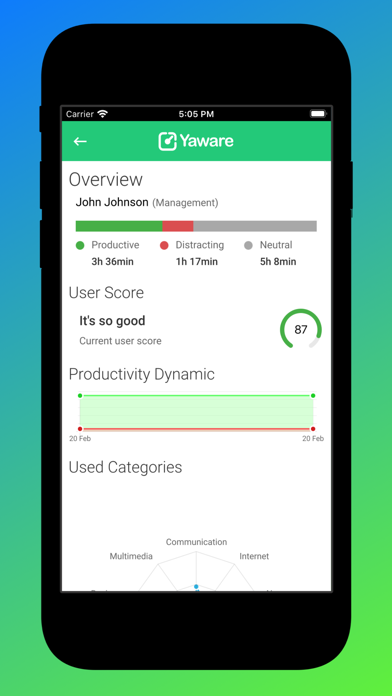
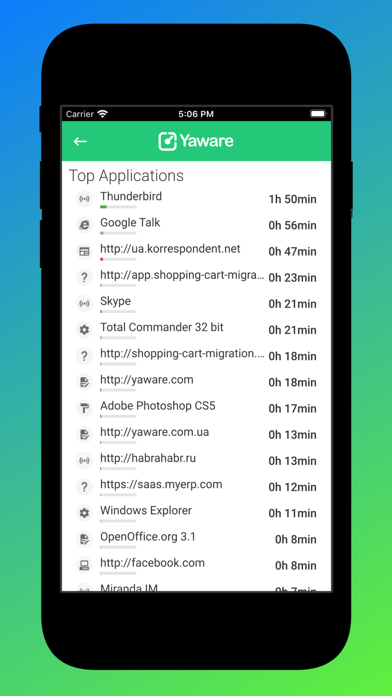
You can use Yaware.TimeTracker remotely via Yaware.TimeTracker Viewer. This app enables you to check out any reports generated by Yaware.TimeTracker directly on your cell phone. Go through 3 simple and quick steps to start analyzing the necessary data via Yaware.TimeTracker Viewer right away: 1. Sign up to timetracker.yaware.com. 2. Install the app on your employees’ computers. 3. Install Yaware.TimeTracker Viewer on your cell phone (just enter the same login credentials you’ve already used to sign up to timetracker.yaware.com). Now all data on your staff’s productivity is available directly on your cell phone. With Yaware.TimeTracker you can track: - attendance, late arrivals, breaks; - total worked time and overtime; - apps and websites employees use at work. Any questions? Please write us back to contact@yaware.com


