
Chronometer
Screenshots


ASO analysis
Short title. You're leaving keyword space on the table.
Could go longer. The first 252 chars are above-the-fold; everything else still indexes.
Used by similar apps in your niche, but not in your title or description. Adding these (where genuinely relevant) can broaden your search reach.
Words you and your peers both use. Confirms positioning in this niche.
Keyword rankings
iTunes Search · top 200About
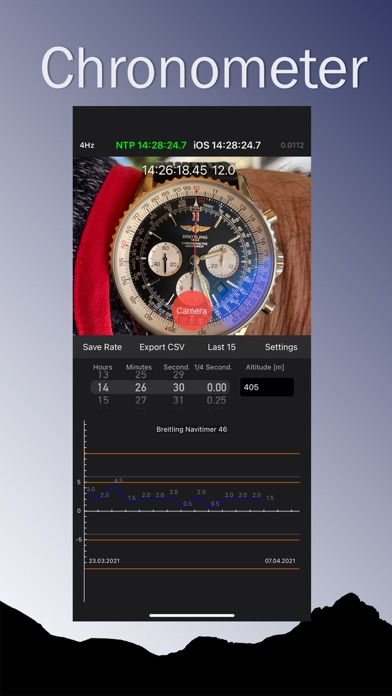
This APP helps you track the accuracy of your chronometer watch It is very easy to track the accuracy of the day rate of your watch Before you start set your clock to atomic time. Do not set the clock during the recording process! The Chronometer APP requires an internet connection to get the accurate NTP time. 1. Start the APP and wait until the NTP server gets the accurate time (about 5 seconds, green NTP time). 2. Take a picture of your watch dial in the APP (freeze video feed). 3. The APP suggests the tracking time from the NTP server when you took the picture 4. Read the time exactly on your frozen picture and correct the time with the picker wheel 5. Ideally you can enter the altitude in meters for the current tracking 6. Save the time with the Save Rate button. Record the accuracy from your watch every day at the same time if possible. The APP compares your daily clock time difference with the NTP server. You can check how accurate your clock is and adjust the rate if necessary. Wait until you have 15 days of data before assessing the accuracy of your watch. The original chronometer certification of your clock was also created in 15 days. A mechanical wrist watch with less than 10 seconds deviation per day is very accurate. You can save the statistics data in Excel CSV format to your iCloud for further analysis. In the CSV file you have 4 columns. Date / absolute rate difference / daily rate difference / altitude above sea level Swiss NTP metas server ntp11.metas.ch COSC NTP 4Hz reference dial for calibration of optical measuring instruments This APP is optimized for iOS 16


