AppScoutAppScout.gallery
Diary With Password icon
Productivity

Diary With Password

by 帆 杨
Rating4.7(27k)
PriceFree
Updated5mo ago
Released8y ago
Latest rank
Not tracked yet
Rank change
Not tracked yet
Rank history
Movement appears after the next data refresh.

Screenshots

Diary With Password screenshot 1Diary With Password screenshot 2Diary With Password screenshot 3Diary With Password screenshot 4Diary With Password screenshot 5Diary With Password screenshot 6Diary With Password screenshot 7

ASO analysis

Title19 / 30
Diary With Password

Good use of the title field.

Description1,271 / 4,000
19 paragraphs · 32% of limit used

Could go longer. The first 252 chars are above-the-fold; everything else still indexes.

Top keywords in your description
diary×6font×5export×4data×3delete×3device×3file×3text×3back×2choose×2day×2emotions×2
Keyword opportunities

Used by similar apps in your niche, but not in your title or description. Adding these (where genuinely relevant) can broaden your search reach.

features10 peersbackup8 peersdevices8 peersinformation8 peerspasswords8 peerssecure8 peersstore8 peersacross7 peerscreate7 peerscredit7 peers
Shared niche keywords

Words you and your peers both use. Confirms positioning in this niche.

data8 peersiphone8 peerspassword8 peerssupport8 peersdevice7 peersicloud7 peerssearch7 peerstouch7 peersbit6 peerseven6 peers

Keyword rankings

iTunes Search · top 200
Keyword tracking starts automatically for apps on the top charts — ranks appear after the next data refresh. Manual tracking for search-only and niche apps coming soon.

About

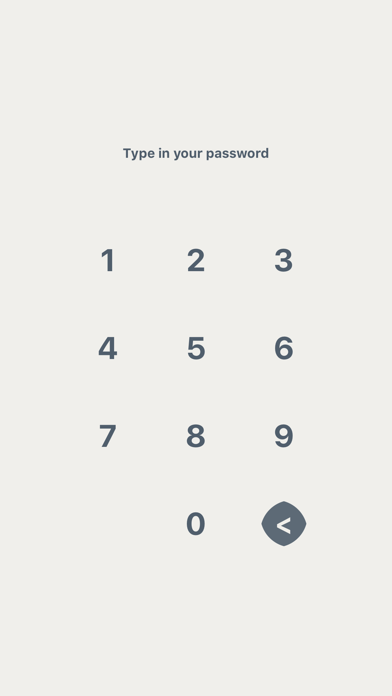
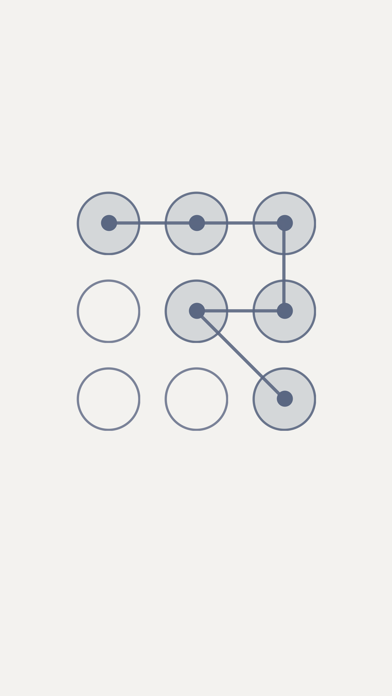
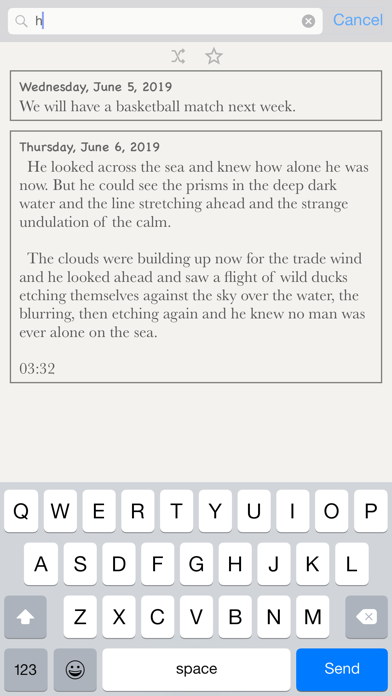
Track life's progress Log a little bit about each day Look back at the emotions and the opinions and even mundane aspects of your life Write out all your emotions in a space and no one will see This is an electronic diary Simple and friendly ■ Password -set a password to protect your diary secrets ■ Time Stamp -note the time by touching the inconspicuous clock button ■ Reminder -friendly reminder to write about your day ■ Delete -swipe your finger to delete the diary you want to delete ■ Night Mode -to make looking at a screen in a dark room easier on your eyes ■ iCloud -back up your data/Restore the data on your iOS device ■ Export -export your diary as a text/Export the diary to PDF file (The exported file can be sent to you by email. Please make sure that a mail account has been set on the device. You can also choose to export your data to your iOS file system on your device) ■ Sizes -choose a new font size from the font size list ■ Sign -add a good diary to your favorites ■ Search -full text search-able - search entries by containing text ■ Fonts -to change the font type, in the font list, select a font ■ Touch ID / Face ID -need the related hardware support (iPhone 5s+) ■ Pattern Lock -security and ease

01
PassDiary Password Manager icon
PassDiary Password Manager
Epicomm Technologies Ltd
3.6
02
Notebook - Diary & Journal App icon
Notebook - Diary & Journal App
Koji Ito
4.7
03
Password Manager' icon
Password Manager'
广栋 莫
4.4
04
Password Manager- icon
Password Manager-
广栋 莫
4.6
05
Password Manager Data Vault icon
Password Manager Data Vault
Ascendo Inc.
4.8
06
Password Manager - Lockie icon
Password Manager - Lockie
Janhavi Wagh
0.0
07
Safe +  Password Manager icon
Safe + Password Manager
edv & medien GmbH
4.7
08
Password Manager iPassSafe . icon
Password Manager iPassSafe .
Netanel Software
4.5
09
Codebook Password Manager icon
Codebook Password Manager
Zetetic LLC
4.8
10
DAYOL: Journal, Calendar icon
DAYOL: Journal, Calendar
SEUNGAH JO
4.4