

Notebook - Diary & Journal App
Screenshots



ASO analysis
Tight against the limit — verify it doesn't truncate on small screens.
Solid length. Make sure the first 252 chars hook the reader.
Keyword rankings
iTunes Search · top 200About
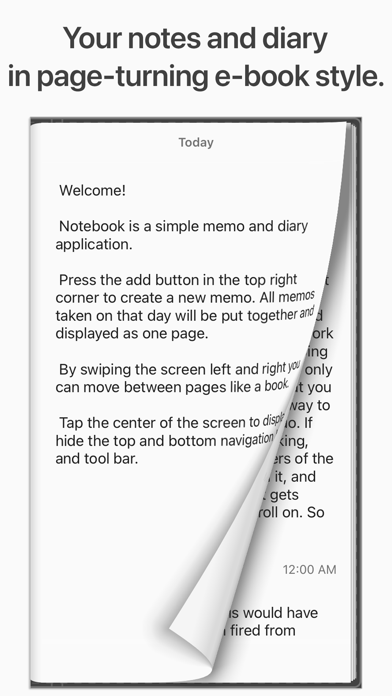
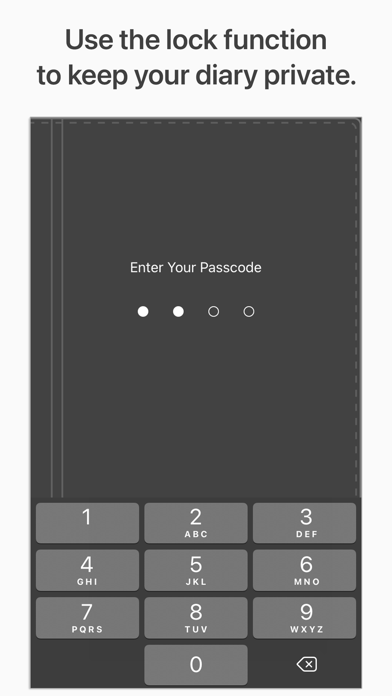
Record your days like turning the pages of a book. A simple, elegant note-taking and diary app designed to make journaling feel natural. Over 2 million downloads worldwide. Average rating 4.7 from over 21,000 reviews. Notebook is a simple and elegant note-taking and diary app that lets you flip through your digital journal like a real book. Each day’s notes are automatically organized on one page, ready to revisit anytime with a smooth page-turning effect. ■ Your day on one page Keep your daily notes and thoughts neatly organized. You can easily look back on yesterday, last week, or even last month. Swipe or tap to turn the page and rediscover your memories like reading a personal journal. ■ Simple and ready to use Tap the Compose button to write a new note. Change dates by tapping the date field, or adjust the font size with one tap. Copy or print your entries directly — everything is intuitive, no manual required. ■ iCloud sync and backup support Keep your data secure with iCloud synchronization and backup. Access your notes across multiple devices, and restore them easily when you get a new iPhone. No complicated setup needed. ■ Private and secure Protect your personal diary with a passcode lock (Face ID / Touch ID supported). Deleted notes can be recovered within 30 days from “Recently Deleted” in settings. ■ Premium for a distraction-free experience All basic features are free. Upgrade once to Premium (one-time purchase) to remove ads and enjoy a calm, focused writing experience. Your purchase can be restored anytime, even after changing devices. Features • Page-turning effect for a realistic book-like feel • One page per day for simple organization and review • iCloud sync and backup support • Passcode lock (Face ID / Touch ID) for privacy • Dark mode, search, and font adjustment • Ad-free with Premium (one-time purchase) • Restore deleted notes within 30 days • Copy, print, or share all notes at once Capture your everyday moments, one page at a time — in your own private notebook.


