AppScoutAppScout.gallery
DWG Viewer 2D - For DWG to PDF icon
Productivity

DWG Viewer 2D - For DWG to PDF

by 沦 彭
Rating1.0(1)
Price$7.99
Updated2mo ago
Released6y ago
Latest rank
Not tracked yet
Rank change
Not tracked yet
Rank history
Movement appears after the next data refresh.

Screenshots

DWG Viewer 2D - For DWG to PDF screenshot 1DWG Viewer 2D - For DWG to PDF screenshot 2DWG Viewer 2D - For DWG to PDF screenshot 3

ASO analysis

Title30 / 30
DWG Viewer 2D - For DWG to PDF

Tight against the limit — verify it doesn't truncate on small screens.

Description1,175 / 4,000
6 paragraphs · 29% of limit used

Could go longer. The first 252 chars are above-the-fold; everything else still indexes.

Top keywords in your description
view×10zoom×8dwg×4files×4rotate×4degrees×3dxf×3cad×2chinese×2counterclockwise×2icloud×2message×2
Keyword opportunities

Used by similar apps in your niche, but not in your title or description. Adding these (where genuinely relevant) can broaden your search reach.

com8 peersfile6 peersemail5 peershttps5 peersopen5 peerspng5 peerssupport5 peerscontact4 peersconvert4 peersfeature4 peers
Shared niche keywords

Words you and your peers both use. Confirms positioning in this niche.

pdf8 peersview8 peersexport7 peersfeatures7 peersviewer7 peersfiles6 peersdxf5 peerscad4 peersdwg4 peersquickly4 peers

Keyword rankings

iTunes Search · top 200
Keyword tracking starts automatically for apps on the top charts — ranks appear after the next data refresh. Manual tracking for search-only and niche apps coming soon.

About

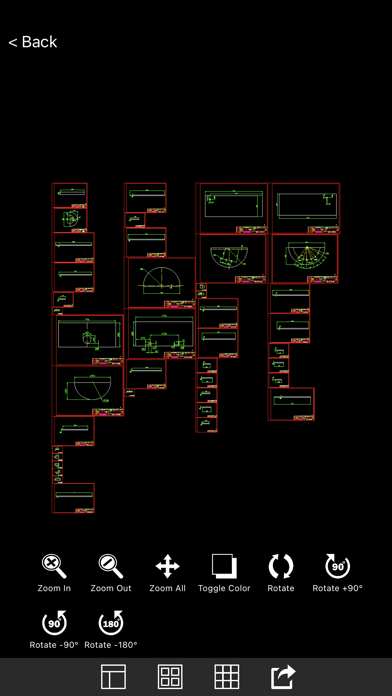
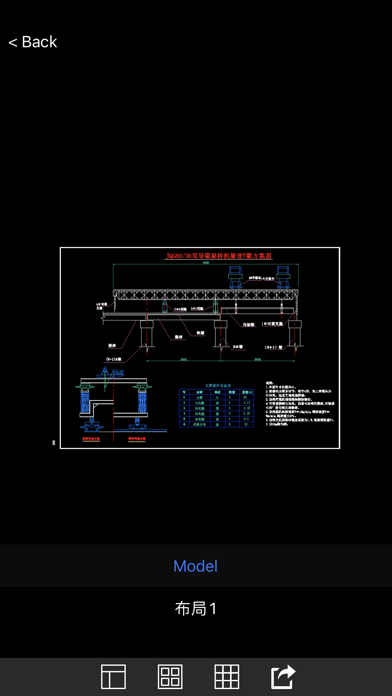
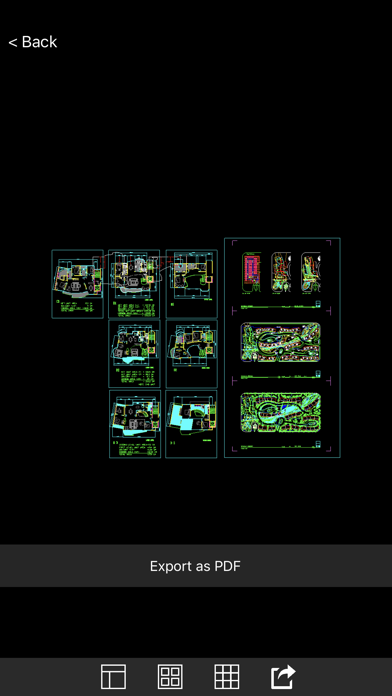
DWG Viewer 2D is a tool for quickly viewing 2D CAD files stored locally and iCloud, and supports all versions of DWG and DXF, as well as quickly converting .dwg and .dxf files to PDF. Languages for CAD: Latin, Arabic, Cyrillic, Greek, Turkish, Hebrew, Baltic, Vietnamese, Thai, Japanese, simplified Chinese, traditional Chinese, Korean. Main features: 1. Drag to change the position of the view. 2. Zoom the view: Zoom in and out by clicking on the zoom button. Roll the mouse to zoom in and out of the view. Zoom Extents: zoom the view to the maximum extent. Zoom Window: zoom the selected view to the window. 3. Rotate the view: Rotate the view 90 degrees counterclockwise, Rotate the view 180 degrees counterclockwise, Rotate the view 90 degrees clockwise. 4. Switch the background color of the view. 5. Export .dwg and .dxf files as PDF. 6. Supports viewing local and iCloud files directly. We regularly update the product, if you have any questions or suggestions, please send a message to the mailbox(moonlight_beauty@yeah.net), or leave a message on our website. If you are enjoying the app, please consider leaving a review or rating.

01
DWG FastView Pro-CAD viewer icon
DWG FastView Pro-CAD viewer
Gstarsoft Co., Ltd
3.8
02
DWG FastView-CAD Viewer&Editor icon
DWG FastView-CAD Viewer&Editor
Gstarsoft Co., Ltd
4.5
03
GoodReader PDF Editor & Viewer icon
GoodReader PDF Editor & Viewer
Good.iWare, Inc.
4.5
04
Cam Scan for PDF & Doc Scanner icon
Cam Scan for PDF & Doc Scanner
Liger Infotech
4.7
05
MPP Viewer icon
MPP Viewer
Cardinate Consulting LLC
0.0
06
IGES & STEP Viewer icon
IGES & STEP Viewer
Victor Bovio
3.8
07
DXF Simple Viewer icon
DXF Simple Viewer
Victor Bovio
0.0
08
Cam Scan for PDF Scanner icon
Cam Scan for PDF Scanner
Bhartiben Davra
4.6
09
Prezi Viewer icon
Prezi Viewer
Prezi Inc.
4.3
10
CAD Reader-View & Measure DWG icon
CAD Reader-View & Measure DWG
Beijing Honghu Yuntu Technology Co., Ltd.
4.0