fastCut - video editor & maker
Screenshots




ASO analysis
Tight against the limit — verify it doesn't truncate on small screens.
Solid length. Make sure the first 252 chars hook the reader.
Used by similar apps in your niche, but not in your title or description. Adding these (where genuinely relevant) can broaden your search reach.
Words you and your peers both use. Confirms positioning in this niche.
Keyword rankings
iTunes Search · top 200About
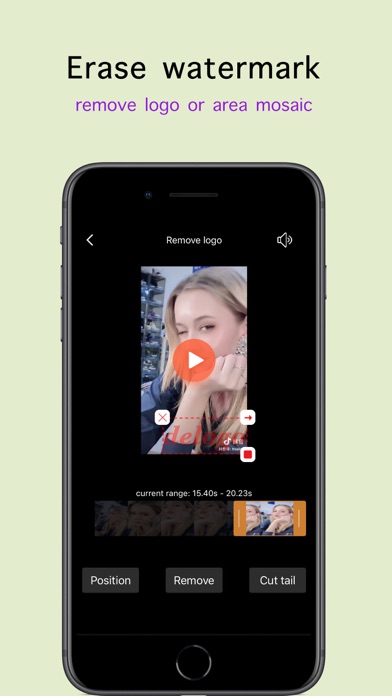
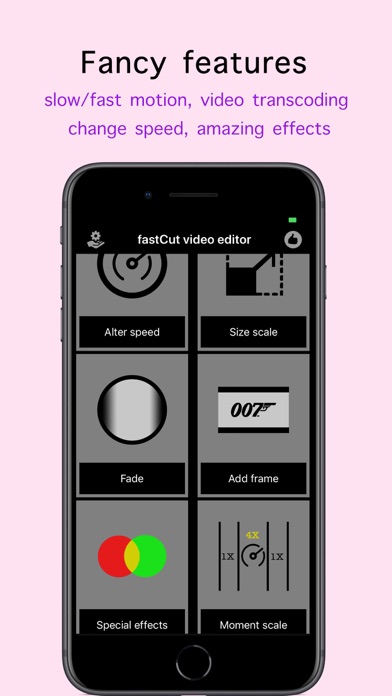
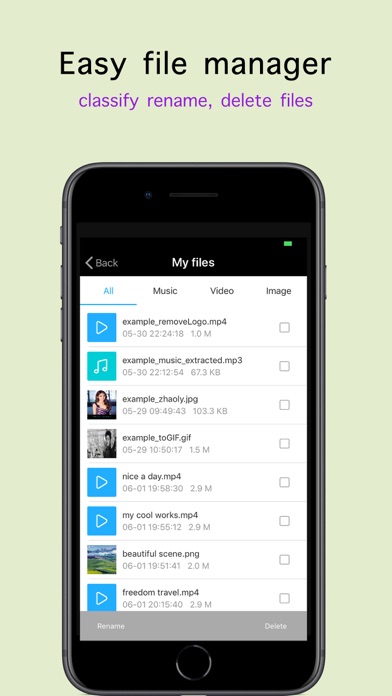
fastCut is a powerful (short) video editing tool that integrates many unique features. It is an important tool for you to follow the platform like tik tok. Whether you are a novice beginner or a video editing expert, it will definitely help you create a popular and recommended wonderful celebrity video . fastCut include complete functions which is simple and easy to use, and one key to complete, which greatly saves the precious time of editors. [fastCut features] include: -"Video Information Extraction" extract video background music BGM, video frame pictures of interest at any moment, and second-level extraction of soundless video, keeping the highlights in the video. -"Cut and merge" A video clip is cut into several interesting clips, and each clip can be synthesized into one video, thus eliminating redundant parts. -"erase logo" visualize the setting of the watermark removal, and can remove multiple watermarks at the same time. For example, a certain audio will have two dynamic watermarks in the upper left and lower right corners. It also supports intercepting the end of the video, -"Convert to GIF" can query the original resolution and size of the video, convert the video to a GIF, provide different target size options, set its color to black or white, and provide advanced one-click conversion function. -"Alter Speed" Provides the function of slowing down the video once by 4X and once by up to 8X. Repeated use can achieve any fast or slow effect. -"Video Zoom" The favorite of video production enthusiasts. it can easily query the resolution, bit rate, frame rate and video file size of the original video, set 24 frames, 30 frames, 60 frames per seconds, 360P, 576P, 720P, 1080P , 2K resolution of target video as well -"Fade in and fade out" can be set up to five seconds of fade in and fade out time. -"Movie Frame" provides you with dozens of colors such as white, black, purple, pink, etc. You can also set parameters such as transparency, frame thickness, frame position and other parameters to realize your dream of small video blockbuster. -"Special Effects" provides you with black and white, sharpening, unsharpening, reverse, static vignetting, dynamic vignetting, neon, vertical horizontal flip, horizontal, mirror, two cool full network only four-in-one One picture in picture and cartoon effects. Try it now! -"Fast or slow motion" If you want to make the video content of a certain period of time faster or slower, this function is for you -"Partial enlargement" If you, for example, some training institutions need to enlarge a part of the video area and display it in a picture-in-picture, congratulations, this is what you need, you can choose to place it in any of the four corners. -"File Management" displays your local saved files in categories to facilitate your management, and provides easy rename and delete features. -"Share and Save" Open and edit your saved works in other applications, make wonderful applications, and share it with friends. If you encounter any problems or suggestions during use, please send us an email to 275947544@qq.com