Video Editor - Video Maker,Cut
Screenshots



ASO analysis
Tight against the limit — verify it doesn't truncate on small screens.
Could go longer. The first 252 chars are above-the-fold; everything else still indexes.
Used by similar apps in your niche, but not in your title or description. Adding these (where genuinely relevant) can broaden your search reach.
Words you and your peers both use. Confirms positioning in this niche.
Keyword rankings
iTunes Search · top 200About
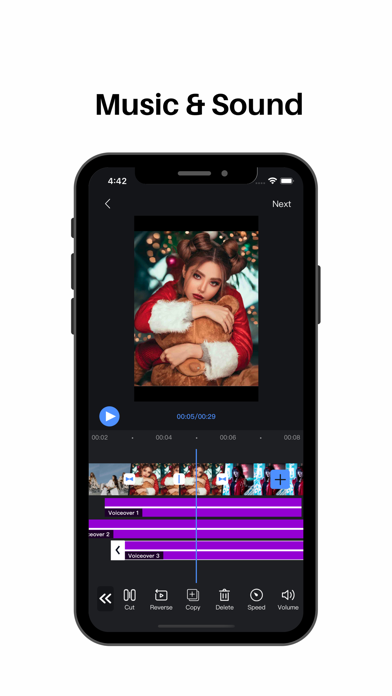
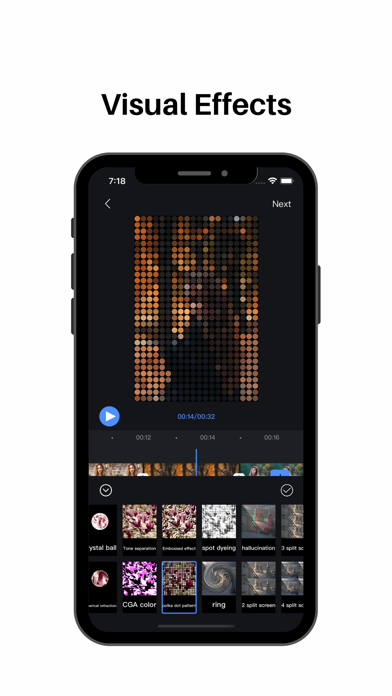
【Video Editor】Een all-round snelle, efficiënte, eenvoudige en gemakkelijk te gebruiken videobewerkingstool Video Editor Features: 【segmentation】 Split video clips at will 【Splicing】 Video/picture stitching at will 【Speed change】 fast/slow speed switch 【Picture in Picture】 Support for adding video/photo picture-in-picture blending modes 【Transitions】 Cool effects for you to choose 【Special effects】 Easily choose from a variety of video/picture animation modes 【Filter】 A variety of rich filter modes for you to choose, showing different colors 【subtitle】 Multi-layer subtitles can be added, size, position, font style can be changed at will Easily control subtitle display time 【Extract audio】 Convenient and fast extraction of audio from local video 【Upside down】 Easily switch video/audio reverse mode 【Voice】 Add to extract audio from video Selection of local audio Comfortable use of recording mode 【Cutting】 Easy cropping of video/pictures in various ratios 【Video time crop】 Easily crop the desired time segment in the video 【Proportional background】 Easy selection of different ratios of video/picture Canvas background color can be changed at will Adding background images Background blur function settings Privacy Policy: https://sites.google.com/view/appsvideo/video-editor/privacy User Agreement: https://sites.google.com/view/appsvideo/video-editor/agreement Feedback Email: feedbackapp@126.com