AppScoutAppScout.gallery
KODAK Photo Printer icon
Photo & Video

KODAK Photo Printer

by Prinics Co., Ltd
Rating4.8(11k)
PriceFree
Updated2mo ago
Released4y ago
Latest rank
Not tracked yet
Rank change
Not tracked yet
Rank history
Movement appears after the next data refresh.

Screenshots

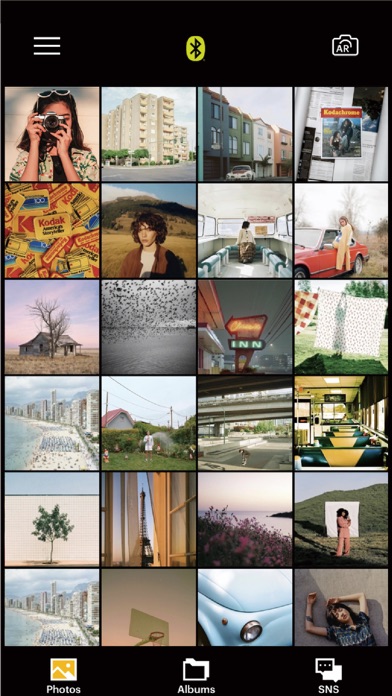
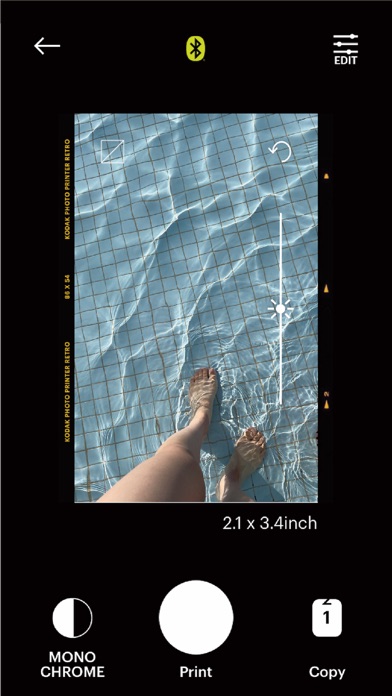
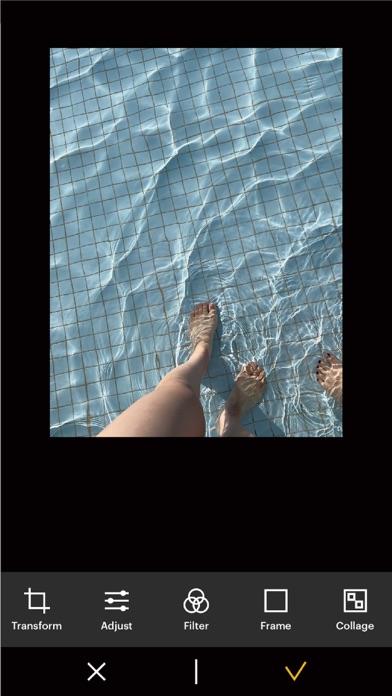
KODAK Photo Printer screenshot 1KODAK Photo Printer screenshot 2KODAK Photo Printer screenshot 3

ASO analysis

Title19 / 30
KODAK Photo Printer

Good use of the title field.

Description931 / 4,000
3 paragraphs · 23% of limit used

Could go longer. The first 252 chars are above-the-fold; everything else still indexes.

Top keywords in your description
kodak×4mac×3bluetooth×2printer×2c210×1c300×1d600×1in1×1inch×1instant×1m200×1m300×1
Keyword opportunities

Used by similar apps in your niche, but not in your title or description. Adding these (where genuinely relevant) can broaden your search reach.

photos6 peerscom4 peersdropbox4 peerseasy4 peersfacebook4 peersimages4 peersiphone4 peerspaper4 peersprint4 peersavailable3 peers
Shared niche keywords

Words you and your peers both use. Confirms positioning in this niche.

photo9 peers

Keyword rankings

iTunes Search · top 200
Keyword tracking starts automatically for apps on the top charts — ranks appear after the next data refresh. Manual tracking for search-only and niche apps coming soon.

About

KODAK 사진 프린터를 이용해 주셔서 감사합니다. 이전 KODAK Instant Printer 앱은 새 KODAK Photo Printer 앱으로 대체됩니다. AR과 뷰티 기능을 포함한 새로운 기능들은 여러분을 깜짝 놀라게 할 것입니다! 지원되는 모델: 코닥 2인치 프린터 (P210, M200) 코닥 2in 1, 2inch 카메라 (C210, MS200) 코닥 3인치 사각 프린터 (P300, M300) 코닥 3인치 사각 2in1 카메라 (C300, MS300) 코닥 4인치 사각 카메라 (MS400) 코닥 6인치 독 프린터 (PD460, D600) KODAK 즉석 카메라 및 프린터로 놀라운 사진을 쉽게 인쇄할 수 있습니다. '코닥' 즉석 사진 프린터와 카메라는 블루투스를 기기에 연결해 스마트폰에서 이미지를 출력하는 데 사용될 수 있다. 스마트폰이나 태블릿에서 사진을 찍고 편집할 수 있습니다. 여러분의 소중한 순간들을 즉시 프린트 할 것입니다! [사용방법] 1. 프린터를 사용하기 전에 반드시 재충전하십시오. 2. 어댑터가 제대로 연결되었는지 확인합니다. 3. 프린터를 켭니다. 4. Bluetooth 설정으로 이동하여 프린터의 MAC 주소를 찾습니다. ( MAC 주소는 프린터의 도어 안에 있습니다. 독 프린터를 구입한 경우 스마트폰을 프린터 상단 핀에 도킹하거나 프린터 하단에 있는 MAC 주소를 찾아 장치를 Bluetooth에 연결하십시오.) 5. 갤러리에서 이미지를 선택하거나 스마트폰으로 사진을 찍습니다. 6. 이미지를 선택했으면 원하는 대로 이미지를 편집합니다. 7. 이제 편집이 완료되면 프린터 상단에 있는 인쇄 버튼을 누릅니다. 8. 처음 인쇄할 때 펌웨어를 업데이트해야 할 수도 있습니다. 스마트폰 화면에 표시된 지침을 따르십시오. 9. 완전히 인쇄하는 데 1분 정도 걸립니다. 사진이 완전히 인쇄될 때까지 사진을 당기지 마십시오.

01
Photo Collage Maker & Printer icon
Photo Collage Maker & Printer
Vitalij Schaefer
4.7
02
PhotoPrint Pro icon
PhotoPrint Pro
TouchingCode Disitribution GmbH
5.0
03
CHEERZ - Photo Printing icon
CHEERZ - Photo Printing
Printklub
4.6
04
Photo Manager Pro icon
Photo Manager Pro
Skyjos Co., Ltd.
4.5
05
Popsa | Print Your Photos icon
Popsa | Print Your Photos
Popsa
4.8
06
Photo wonder icon
Photo wonder
欣 郭
2.4
07
FreePrints – Print Photos icon
FreePrints – Print Photos
PlanetArt
4.8
08
Photo Timer+ icon
Photo Timer+
Nick Culbertson
4.7
09
FreePrints Photo Art icon
FreePrints Photo Art
PlanetArt
4.8
10
Photo Importer + icon
Photo Importer +
Metasync, Corp
5.0