AppScoutAppScout.gallery
Locker Password Manager icon
Productivity

Locker Password Manager

by VIET NAM CYSTACK JOINT STOCK COMPANY
Rating5.0(8)
PriceFree
Updated1mo ago
Released4y ago
Latest rank
Not tracked yet
Rank change
Not tracked yet
Rank history
Movement appears after the next data refresh.

Screenshots

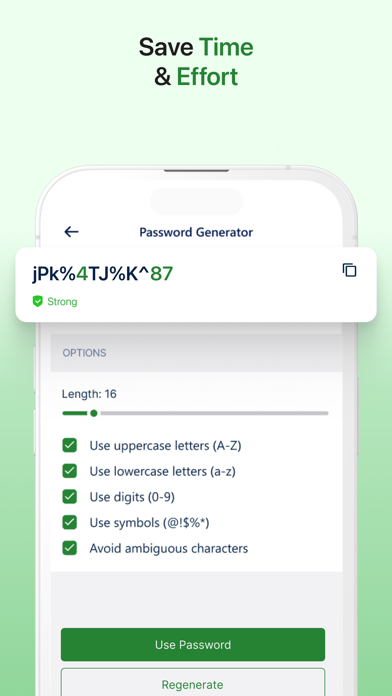
Locker Password Manager screenshot 1Locker Password Manager screenshot 2Locker Password Manager screenshot 3Locker Password Manager screenshot 4Locker Password Manager screenshot 5Locker Password Manager screenshot 6

ASO analysis

Title23 / 30
Locker Password Manager

Good use of the title field.

Description1,411 / 4,000
9 paragraphs · 35% of limit used

Could go longer. The first 252 chars are above-the-fold; everything else still indexes.

Top keywords in your description
locker×8data×6password×6encryption×3master×3device×2encrypted×2even×2key×2mode×2offline×2passwords×2
Keyword opportunities

Used by similar apps in your niche, but not in your title or description. Adding these (where genuinely relevant) can broaden your search reach.

safe10 peersinformation9 peersaccount8 peersremember8 peersstore8 peerslock7 peerslogin7 peersaccess6 peersaccounts6 peersbackup6 peers
Shared niche keywords

Words you and your peers both use. Confirms positioning in this niche.

features10 peerspassword10 peerspasswords10 peerscom9 peersdata9 peerssecure9 peersmanager7 peersdevices6 peersencrypted6 peersitunes6 peers

Keyword rankings

iTunes Search · top 200
Keyword tracking starts automatically for apps on the top charts — ranks appear after the next data refresh. Manual tracking for search-only and niche apps coming soon.

About

Locker is a cross-platform vault that helps users secure sensitive data such as logins and passwords, secret notes, payment cards, and online identities. It also offers additional features to enhance your browsing experiences like password autofill, item sharing, and more. Why choose Locker over other password managers? 1. Security Locker uses military-grade encryption to secure your data. AES-256bit encryption combined with PBKDF2 and RSA algorithm makes your data un-crackable. Your vault is encrypted with a Master Password, which is the only key to decrypt your data. 2. Privacy & Transparency Your Master Password is only yours. Nobody, even us, can see your Master Password thanks to Zero-knowledge architecture and End-to-end encryption. Locker is an open-source product. Everyone can inspect its source code. We believe transparency is the key to better security. 3. Unlimited Sync Once you add, edit, remove items in your Locker on a device, the data will be synced across all other devices. 4. Bring Your Passwords with You With Offline Mode, you can use Locker anywhere, anytime, even when your phone is not connected to the internet. No more password hassle. Free Your Mind. Install Locker. *Data is encrypted before leaving the current device. **Offline Mode is only available on Locker mobile application. Terms of Use: https://www.apple.com/legal/internet-services/itunes/dev/stdeula/

01
Locker Pro - Password Manager icon
Locker Pro - Password Manager
晖 姚
0.0
02
Password Manager - Lockie icon
Password Manager - Lockie
Janhavi Wagh
0.0
03
Password Manager-Secret Locker icon
Password Manager-Secret Locker
Parth Pandya
5.0
04
Password Manager icon
Password Manager
2Stable
4.8
05
Password Manager' icon
Password Manager'
广栋 莫
4.4
06
Password Manager- icon
Password Manager-
广栋 莫
4.5
07
Password Manager - Safe Lock icon
Password Manager - Safe Lock
App Rover
4.5
08
Password Manager & Safe Lock icon
Password Manager & Safe Lock
CONTENT ARCADE (UK) LTD.
1.0
09
Password Manager: Safe Lock icon
Password Manager: Safe Lock
Mohit Rudani
0.0
10
LockIn: Password Manager App icon
LockIn: Password Manager App
MatechMobile Software JSC
5.0