

Password Manager & Safe Lock
Screenshots
ASO analysis
Good use of the title field.
Solid length. Make sure the first 252 chars hook the reader.
Keyword rankings
iTunes Search · top 200About
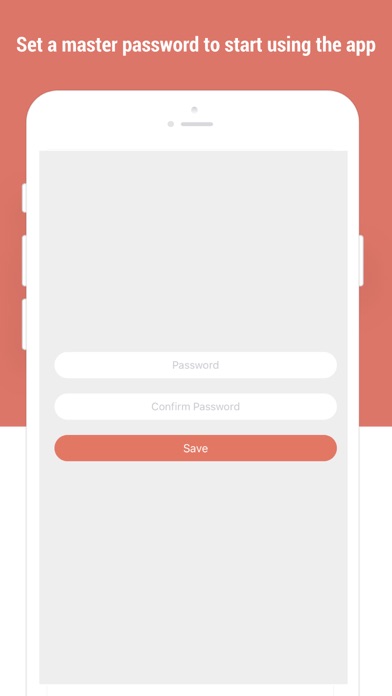
Do you often forget your passwords? Are you looking for an easy way to keep your passwords safe? What if we tell you that now there is an easy way to do that? You no longer have to write down your passwords on a sheet of paper as you can now use a free password saver to help keep your password safe. Password Manager and Safe Lock- A Password Manager is an answer to all your problems. We have come up with this free password manager or password saver app to assist iOS users who don’t want to use those tricky password saver apps out there. You will find this app simple, quick and FREE! The password manager functions the same as a password vault or password safe. It allows you to manage and keep your passwords safe in one safe place. It has a simple yet intuitive design; anyone can use the app regardless of age or gender. You can use this free password manager to store and secure various accounts and passwords and keep them safe. It works like a password vault or password saver, and you need no sign-up or registration to use it. We promise that managing your accounts and passwords was never this easy before. Password Manager and Safe Lock- A Password Manager saves and manages the data you enter by encrypting it. This allows you to enjoy secure storage of data which only you can access with a master password. Features of Password Manager and Safe Lock ¬ Convenient and friendly user interface ¬ An attractive and intuitive design ¬ Easy and quick access to user accounts ¬ You can save passwords for free ¬ Accounts and passwords data is stored in an encrypted way ¬ There is a master password to secure the app ¬ No Sign-Up! No Registration! Steps to Use Password Manager and Safe Lock ¬ Download and install the free password manager ¬ Open the app when it is installed ¬ Carefully set a master password for the password saver, minimum password length should be six digits or characters ¬ To add a new account give a title name, account type, account, and password information ¬ Website link can also be added which is optional ¬ To change the master password, go to settings ¬ To set password need on app launch, got to settings **You are advised to choose master password carefully because if lost or forgotten, you can no longer access your saved passwords. The free password saver is completely secure; you can trust it to keep your password safe and ensure easy access to your accounts. The password manager is completely safe and free, and we intend to keep it like that. From now on you only need to remember one password, and that is the master password. If you like our free password manager app, share it with your family and friends. Also, we’d appreciate if you could give us your valuable feedback. So what are you waiting for? Download and install this handy app NOW! Note: We value the privacy of our users and therefore, we do not store or share your data anywhere else. Only you can access all your accounts and passwords information that you may store in the password saver. We designed the password saver with the concept of enabling our users the ease and possibility of a secure environment to keep password safe. Privacy policy https://www.contentarcade.com/privacy Terms of use https://www.contentarcade.com/terms


