Tag Station
Screenshots



ASO analysis
Short title. You're leaving keyword space on the table.
Could go longer. The first 252 chars are above-the-fold; everything else still indexes.
Used by similar apps in your niche, but not in your title or description. Adding these (where genuinely relevant) can broaden your search reach.
Words you and your peers both use. Confirms positioning in this niche.
Keyword rankings
iTunes Search · top 200About
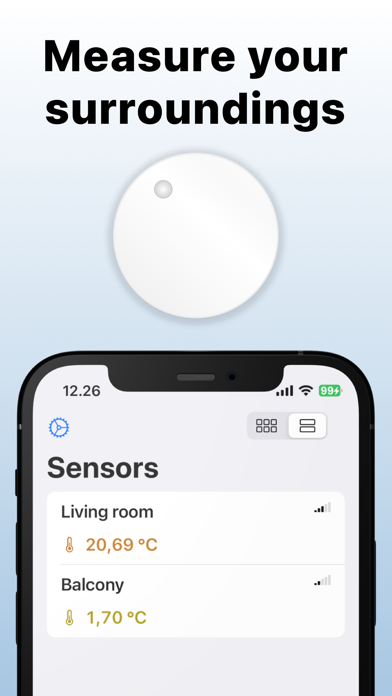
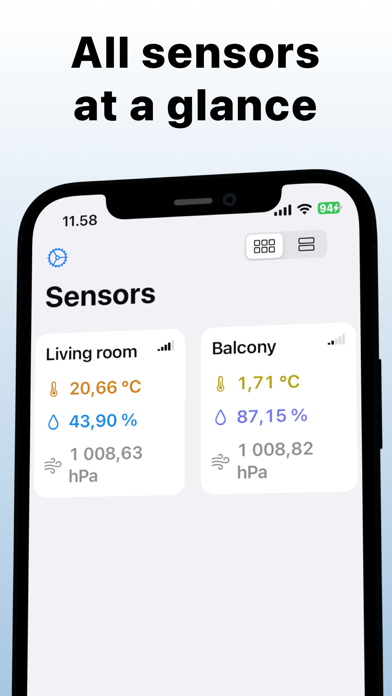
The application brings the monitoring of Ruuvi-sensors to all Apple devices. Tag Station works like the official Ruuvi-Station application by reading sensors using Bluetooth. The user interface is optimised so that user can see the temperature, humidity and air pressure of all sensors at the same time. Data is glancable by using iPhone, iPad, Mac or Apple Watch. Best of all, the data syncs automatically across user’s devices as long as the user is signed in with the same iCloud credentials and the iCloud Drive is turned on. This makes it possible to monitor the sensors from the other side of the globe, as long as there is for example a networked Mac computer turned on with the Tag Station application running and measuring the sensors. Considerations: -The Bluetooh range of different devices varies. e.g. Apple Watch doesn't have quite as good Bluetooth range as the iPhone (Apple Watch Ultra hasn't been tested, though). -The app supports all the complications of the Apple Watch, so it can be quickly accessed from any watch face. However, complications do not show measurement data. -The app does not perform measurements in sleep mode on the Mac. -For the time being, the application does not offer history tracking or notifications. Note that Tag Station is not an official Ruuvi product, and that Ruuvi does not provide support for the use of the application or assume any other responsibilities.