

Tasks: Todo Lists & Kanban
Screenshots


ASO analysis
Good use of the title field.
Solid length. Make sure the first 252 chars hook the reader.
Keyword rankings
iTunes Search · top 200About
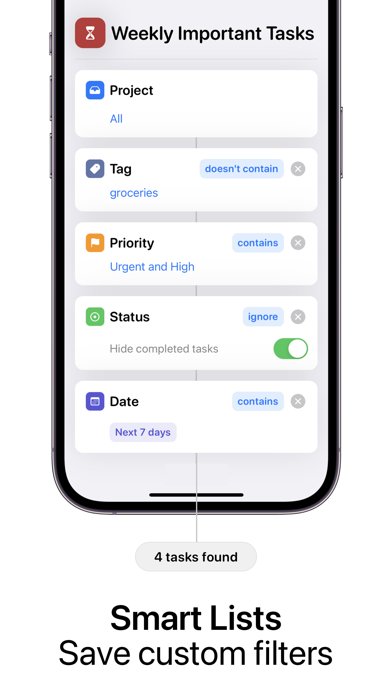
Things that need to get done don't always have a binary state. They aren't always 'to-do,' and 'done.' That's why you need an app that tracks when you're actually doing something, lets you tag it to suit your needs, and lets you set a priority for individual commitments so nothing falls through the cracks. Items can be in progress, in testing, on hold, and more – and it's all customizable to your specific needs and workflow Statuses like 'Review,' 'Test,' and more are just a few clicks away. Because the best way to see project progress in in a Kanban view, Tasks has that as well! Tasks is the task manager you've been waiting for to help take your productivity to the next level and beyond. Some of Tasks key features include: * Tags so you can immediately see what phone calls need to be made, or what needs to be collected from the local grocery store. * Folders, projects, tasks, and sub-tasks so you can organize your life hierarchically in a way that makes sense to you, not the app. * Create and save smart lists and perform powerful queries across projects. * Support for a powerful kanban view, so you'll know which tasks are at in what state and where they need to go next. * Endless customization on a per-project basis. Tasks can have a notes field, URL field, description field, remarks field and more all depending on a project's needs. Priorities and tags are fully customizable as well. * Tag and date recommendations that can be used or ignored – it's up to you! * Attachments including PDFs and images so you always have the information you need when taking on a new item from your to-do list. * iCloud sync support so your tasks, and their state, always follow you from iPhone to iPad to Mac and back again. * Apple's latest features and APIs. Home screen widgets, dark mode, split-screen view on iPad, and more are all included to make it easier and faster than ever to get your work done. * Keyboard and trackpad support – if your iPad is your computer, Tasks has your back. * Widgets so you have your tasks right on your Home Screen for quick and easy access. * Siri Shortcuts for all of you power users. * Tasks adapts its font size to work well with your preference so nothing is too small or too large for your screen. * Some other features include, Quick notes, Time Sensitive notifications, rich notifications with actions, dark mode and a whole lot more. Tasks takes your privacy extremely seriously. None of your data ever leaves iCloud and your devices. We can't see it, and we don't want to. Tasks is a one time purchase across all of your Apple devices, including the Mac app. Pay once, use everywhere. Updated to take the best of iOS 15 and macOS Monterey, try Tasks on all platforms. QUESTIONS? If you have any questions, or run into any trouble, please contact us. We would love to help you out. Privacy Policy - https://mufasayc.com/thetasksapp/privacy Terms of Use - https://mufasayc.com/thetasksapp/terms


