

ZipApp Pro: The Unarchiver
Screenshots

ASO analysis
Good use of the title field.
Could go longer. The first 252 chars are above-the-fold; everything else still indexes.
Used by similar apps in your niche, but not in your title or description. Adding these (where genuinely relevant) can broaden your search reach.
Words you and your peers both use. Confirms positioning in this niche.
Keyword rankings
iTunes Search · top 200About
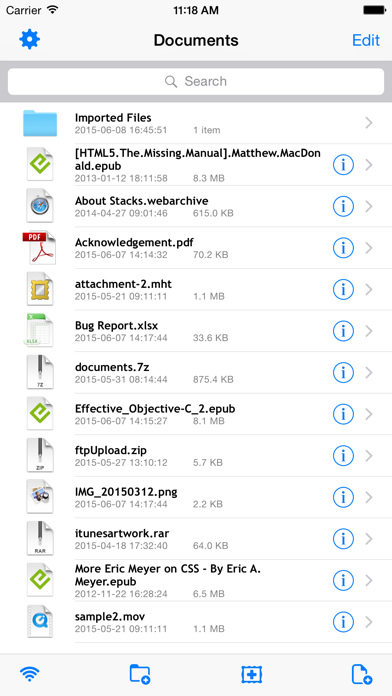
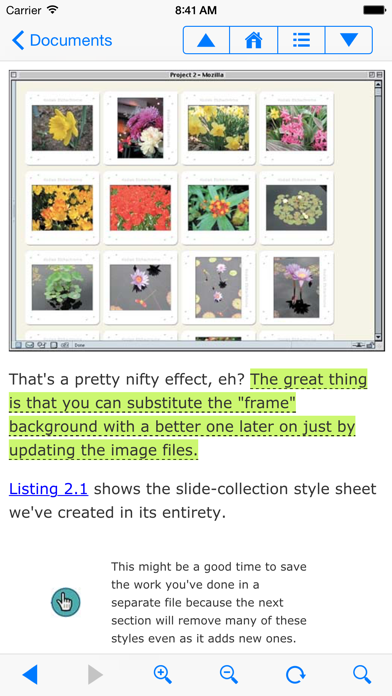
ZipApp is an easy-to-use utility for unarchiving files in .zip, .rar, .7z, .bz2, .tar, .gz and various other formats on your iPhone, iPad and iPod touch. Archiving & Unarchiving: • unarchive files in .zip/.rar/.7z/.bz2/.tar/.gz and various other archive formats • unarchive password-protected .zip and .rar archives • create .zip document from one or more files • compress a whole directory File Management: • Transfer files via Wi-Fi (FTP & HTTP) / iTunes File Sharing • Upload multiple files and folders via FTP • Create/copy/move/rename/delete files and folders • Open document with other Apps • Import document from other Apps • Import document from Email • Send multiple Email attachments • Import / export photos • Browse and manage remote files (FTP/FTPS, SFTP and WebDAV) Supported File Types: • .zip, .rar, .7z, .bz2, .tar, .gz and various other archive file types • .epub (electronic publication) • MS Office - .doc, .ppt., .xls, .docx, .xlsx, .pptx • iWork documents (Pages, Numbers, Keynote) • PDF, HTML, RTF, .mht, Safari webarchives and text files • High resolution images (.jpg, .png, .gif, .bmp, etc.) • Audio and video (.mp3, .acc, .mp4, .mov, .m4v, etc.) FAQ Q: What if my archive is identified as an unknown document? A: Please rename the document and change the filename extension to .zip or .rar and try again. Support • https://langui.net/zipapp/


