

Typefinity
Screenshots





Estimates
low confidenceASO analysis
Short title. You're leaving keyword space on the table.
Could go longer. The first 252 chars are above-the-fold; everything else still indexes.
Used by similar apps in your niche, but not in your title or description. Adding these (where genuinely relevant) can broaden your search reach.
Words you and your peers both use. Confirms positioning in this niche.
Keyword rankings
iTunes Search · top 200About
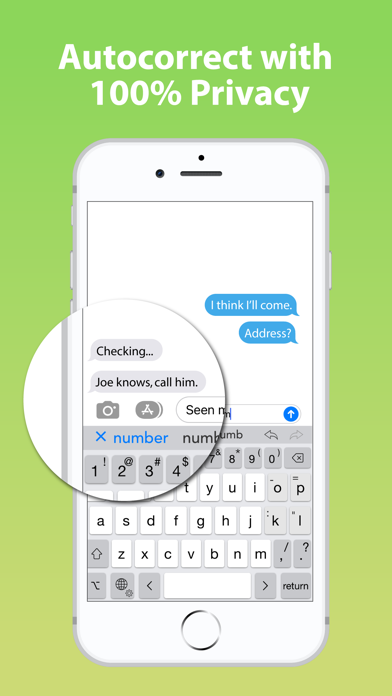
Typing without limits on iPad and iPhone. When it comes to on-screen keyboards, bigger IS different, and Typefinity is built to take advantage of the larger screen size on tablets and modern phones. Stay in the flow when it's time to type a number or symbol or you need to move around, because the needed keys are right there in the main layout. And we use the full width, not just the middle, to display word suggestions. Ergonomics aren't sacrificed either. The main keys are big enough to type fast, and autocorrect is fine-tuned for catching common finger misses. You'll find using Typefinity is almost like having a full bluetooth keyboard -- without the weight and bulk! • Numbers and punctuation in one layout, where your fingers remember. • Cursor keys for easy, precise movement by letter or word. • Dedicated keys for accented characters in your language. • Option switch for typing other symbols and accented characters. • Full autocorrect in all supported languages, showing more than three words. • “Short” layout option for more screen visibility in landscape orientation. • Swipe input (trace words with your finger), and flick up on number and punctuation keys for shifted versions. • Numeric and calculator modes. • Privacy friendly (“full access” is NOT required for most functionality, including autocorrect). Languages / layouts supported: English (US and British / UK / Aus, Dvorak), Czech, Danish, Dutch, Finnish, French (France and Canada), German, Italian, Norwegian (Bokmål), Polish, Portuguese (Portugal and Brazil), Romanian, Spanish, and Swedish.


