GeoTagr
Screenshots

Estimates
low confidenceASO analysis
Short title. You're leaving keyword space on the table.
Could go longer. The first 252 chars are above-the-fold; everything else still indexes.
Used by similar apps in your niche, but not in your title or description. Adding these (where genuinely relevant) can broaden your search reach.
Words you and your peers both use. Confirms positioning in this niche.
Keyword rankings
iTunes Search · top 200About
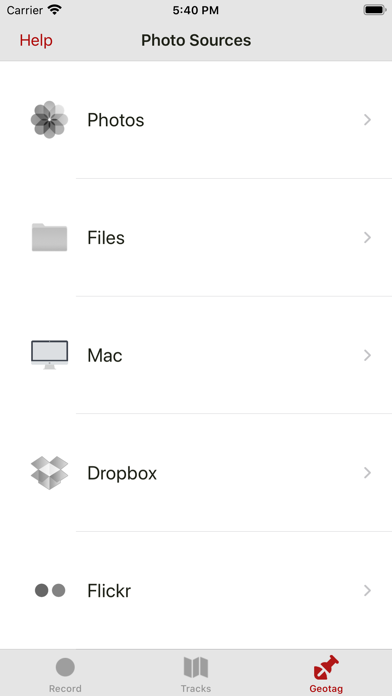
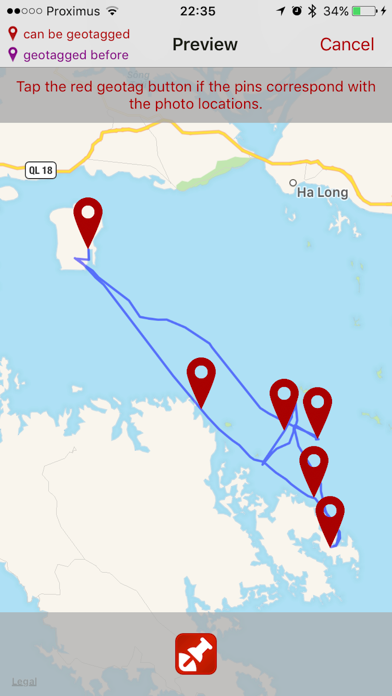
Digital photo collections can grow rapidly. Remembering where you took all those photos can become a chore. Most cameras don't tag your photos automatically, so you'll need something to help you out. That's where GeoTagr comes to the rescue. GeoTagr tags your photos with the location where you made them (a.k.a. geotagging). GeoTagr supports 6000+ types of digital cameras and geotags iPhone, iPad, Mac, Dropbox and Flickr photos. CORE FEATURES: - Record your location with an iPhone or iPad while you make photos with a digital camera - Geotag those photos no matter where you manage them (iPhone, iPad, Mac, Dropbox, SmugMug) - Support for JPEG and RAW photos - Export GPX files (iTunes Sharing, Dropbox, Mail, browser) - Import GPX files (iTunes Sharing, Dropbox, Mail, …) e.g. generated by a dedicated GPS data logger EXTRA: - Record your location with an iPhone and use those locations to wirelessly geotag photos on your iPad or Mac - 3 recording modes on iPhone for optimal balance between accuracy and battery life - Pause and resume when recording locations - While recording, shows an estimate for the remaining battery time - Background recording - Track management - Geotags photos on your Mac using the GeoTagr Companion menubar app (available in the Mac App Store for free) - Today extension for quick access - All maps have 3 modes: Standard, Satellite, Hybrid - Comprehensive built-in Help section Continued use of GPS running in the background can dramatically decrease battery life.